
10 Best Elementor Themes for WooCommerce in 2026 (Performance & Speed Tested)
If you are using Elementor with WooCommerce, the theme you choose matters more than most people expect. Some themes let Elementor fully control product and shop layouts. Others limit Elementor and rely on their own templates and built-in features.
This article outlines the best Elementor themes for WooCommerce based on how they actually behave in real stores, with a focus on Elementor control, performance, and long-term usability rather than demos or marketing claims.
Elementor Themes vs Traditional WooCommerce Themes: Key Differences
An Elementor theme is built to work closely with the Elementor page builder. The theme provides a simple base, while Elementor is used to design most parts of the WooCommerce store.
A traditional WooCommerce theme works differently. The theme itself controls how product pages, shop pages, and checkout look. Elementor support, if available, is usually limited to basic content pages.
The table below shows the main differences clearly:
| Area | Elementor themes | Traditional WooCommerce themes |
| Who controls layouts | Elementor controls store layouts | Theme controls store layouts |
| Product and shop pages | Designed with Elementor | Prebuilt by the theme |
| Customization level | High and visual | Limited by theme settings |
| Ease of changes | Easy to edit later | Harder to change later |
| Extra features | Added only when needed | Often built in by default |
| Best use case | Stores that want full design control | Stores that want quick setup |
If you plan to build or customize your store using Elementor, choosing an Elementor focused theme gives you more control as your WooCommerce store grows.
How We Evaluate the Best Elementor Theme for WooCommerce
To identify the best Elementor theme for WooCommerce, we use a consistent and practical evaluation process. Our focus is on real usage, free version behavior, and publicly available technical information rather than paid-only features we cannot directly test.
1. Test environment and setup
Each theme is installed on a fresh WordPress site with WooCommerce and Elementor enabled. We use the same hosting environment, sample products, and basic plugins for every test to keep results consistent.
2. Elementor and WooCommerce integration test
We test how well Elementor works with WooCommerce pages that are available in the free version. This includes checking whether product and shop pages can be edited or extended using Elementor without layout conflicts or forced theme templates.
3. Performance and Core Web Vitals testing
Performance is evaluated using the free version of each theme on real WooCommerce pages. We observe page weight, number of requests, and layout stability. For paid features, we rely on official documentation and developer disclosures rather than direct testing.
4. Real editing and customization workflow
We build a basic product layout using Elementor and test how easy it is to adjust spacing, sections, and content. Themes that require paid add-ons or custom code for basic layout control are noted.
5. Free vs paid feature evaluation
We clearly separate what is available in the free version from what requires a paid upgrade. Paid features are described based on official feature lists, changelogs, and user documentation, not hands-on testing.
6. Scalability and stability check
Scalability is evaluated based on the theme architecture, code structure, and documented support for larger stores. Where direct testing is not possible, we reference developer guidance and real-world usage reports.
Each theme in this guide is evaluated using the same approach. This keeps the comparison transparent and focused on what users can realistically expect before committing to a paid upgrade.
10 Best Elementor Themes for WooCommerce in 2026
Based on the evaluation process above, the following themes stand out as the best Elementor themes for WooCommerce in 2026. Each theme is reviewed using the same criteria, with a clear focus on Elementor integration, performance, and WooCommerce use.
1. Hello Elementor
Price: Free (Elementor Pro required for WooCommerce layouts)
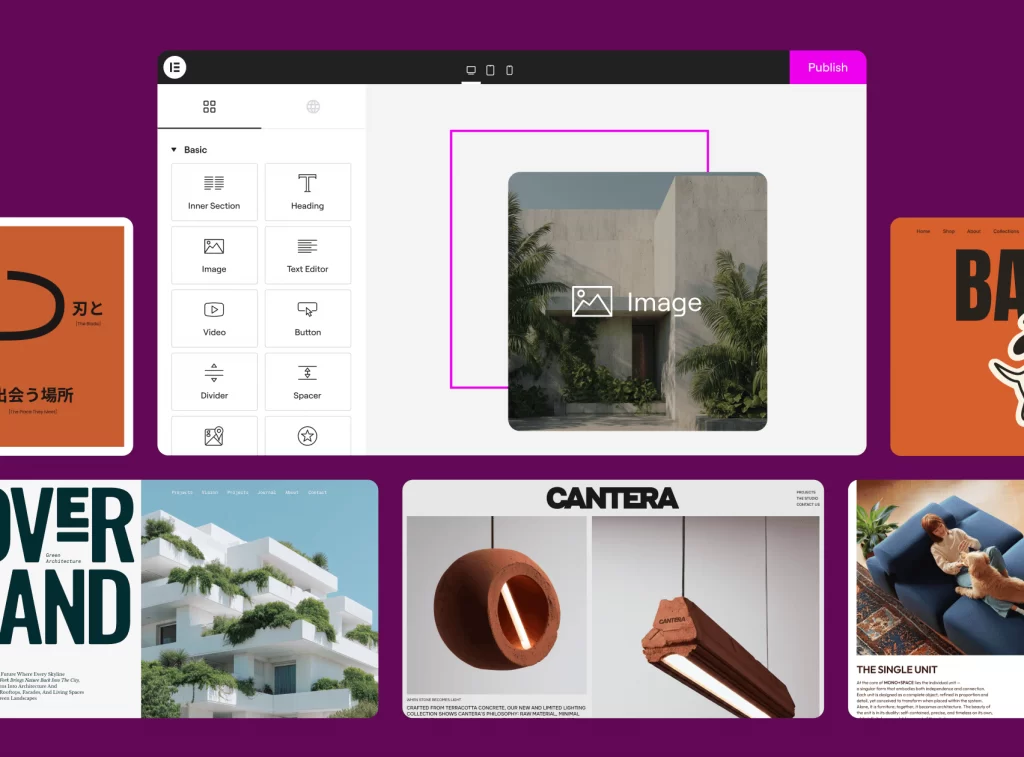
Hello Elementor is a lightweight WordPress theme created by the Elementor team. It is built as a blank canvas, allowing Elementor to control WooCommerce layouts without interference from the theme.
| Aspect | Details |
| Theme type | Blank canvas, Elementor-first |
| WooCommerce layouts | Built entirely with Elementor |
| Elementor integration | Full control over product, shop, and checkout pages |
| Built-in WooCommerce features | None |
| Styling approach | No default styling |
| Theme overhead | ~6 KB |
| PageSpeed (mobile) | ~95 / 100 |
| GTmetrix load time | ~0.25 seconds (clean setup) |
| CSS & JS output | Minimal |
| Performance impact | Mostly from WooCommerce, Elementor, images, and plugins |
Best use case: WooCommerce stores using Elementor Pro that want full design control with the lowest possible theme overhead.
2. Astra
Price: Free version available; Pro from $59/year

Astra is a highly flexible WordPress theme developed by Brainstorm Force. It is the best theme for WooCommerce and Elementor because it balances speed with ready-made design options.
| Aspect | Details |
| Theme type | Lightweight, Elementor-friendly |
| WooCommerce layouts | Theme templates with Elementor customization |
| Elementor integration | Elementor can customize products, shops, and landing pages |
| Built-in WooCommerce features | Basic layouts, headers, shop templates |
| Styling approach | Minimal by default, extended via templates |
| Theme overhead | < 70 KB CSS and JavaScript (with unused modules disabled) |
| Pingdom score | ~92 percent |
| Google PageSpeed | ~94 |
| GTmetrix load time | ~0.45 seconds (clean setup) |
| Performance impact | Mostly from WooCommerce, Elementor widgets, images, and plugins |
Best use case: WooCommerce stores that want strong performance but also prefer ready-made templates instead of building every layout from scratch.
3. Flatsome
Price: $59 for a regular license on ThemeForest, which includes future updates and 6 months of support.
Flatsome is a premium WooCommerce theme built by UX Themes and sold on ThemeForest. It is one of the best-selling WooCommerce themes of all time and is designed around its own UX Builder instead of Elementor.
| Aspect | Details |
| Theme type | All-in-one WooCommerce theme, theme-first |
| WooCommerce layouts | Built in theme templates |
| Elementor integration | Elementor supported for pages and sections only |
| Main builder | UX Builder |
| Built-in WooCommerce features | Product layouts, shop pages, filters, design elements |
| Styling approach | Feature rich, theme controlled |
| Page size | ~1.5 to 2.0 MB before images |
| GTmetrix load time | ~2.5 to 3.8 seconds (varies by setup) |
| PageSpeed score | Low to mid 90s on optimized demos |
| HTTP requests | ~30 to 40 per WooCommerce page |
| Performance impact | Strongly affected by hosting, images, and enabled UX Builder features |
Best use case: Best for WooCommerce stores that want a ready-made eCommerce theme with built-in features and do not rely on Elementor for core shop layouts.
4. Neve
Price: Free version available; Pro from $69/year
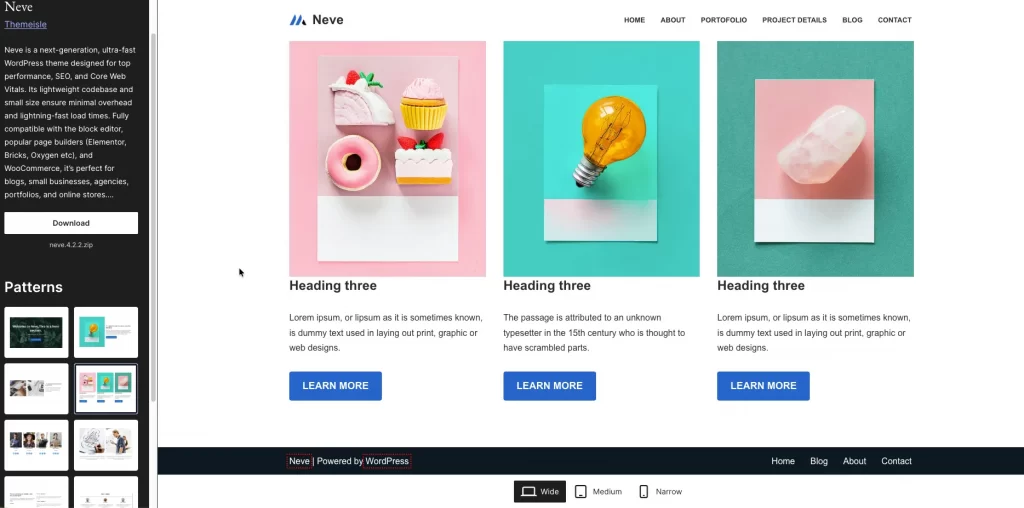
Neve is the best WooCommerce theme for Elementor. It is built for speed and works smoothly with Elementor and other popular page builders.
| Aspect | Details |
| Theme type | Lightweight, mobile-first |
| WooCommerce layouts | Theme structure with Elementor customization |
| Elementor integration | Elementor can control product pages, shop pages, and content sections |
| Other builders supported | Beaver Builder and others |
| Built-in WooCommerce features | Basic layouts and styling |
| Styling approach | Minimal and clean |
| Page size | ~1.0 to 1.2 MB before images |
| Largest Contentful Paint | ~1.7 to 2.6 seconds (decent hosting) |
| Layout stability | Low layout shift, mobile-friendly |
| Performance impact | Strong as long as unused modules and add-ons are disabled |
Best use case: Best for WooCommerce stores and websites that prioritize speed and mobile friendliness while still offering flexible customization with Elementor.
5. Blocksy
Price: Free | paid plans starting at $199 lifetime (Personal), $299 lifetime (Business), and $499 lifetime (Agency), depending on site usage and features.
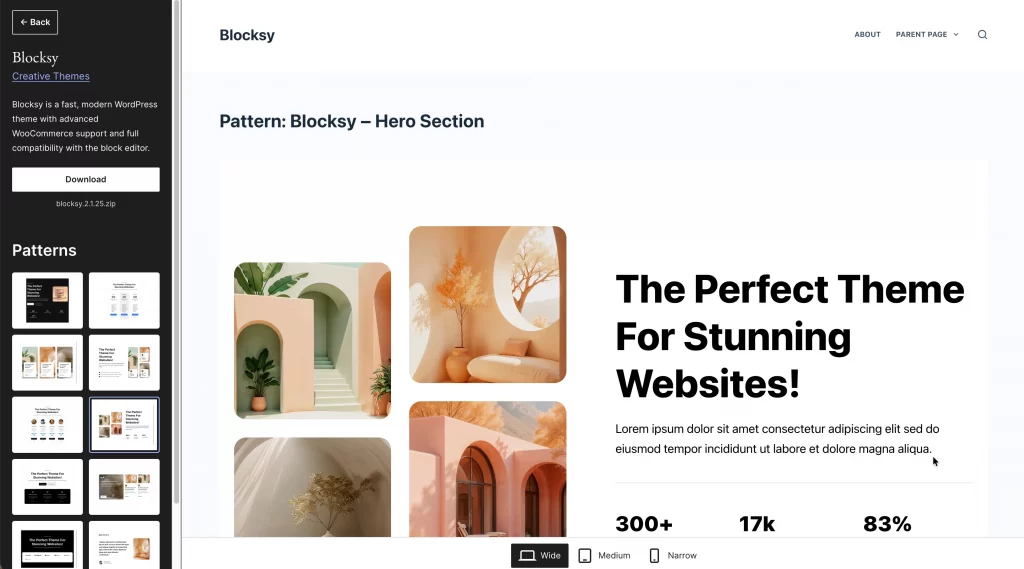
Blocksy is a modern, lightweight WordPress theme designed for speed, flexibility, and visual customization. It works well with Elementor and other page builders while keeping performance a priority.
| Aspect | Details |
| Theme type | Lightweight, modern, feature-balanced |
| WooCommerce layouts | Theme structure with page builder customization |
| Elementor integration | Elementor can control page layouts and content sections |
| Other builders supported | Gutenberg, Brizy, Beaver Builder |
| Built-in WooCommerce features | Flexible product layouts, quick view, shop styling |
| Styling approach | Modern, design-focused but controlled |
| Page size | ~1.1 to 1.4 MB before images |
| Largest Contentful Paint | ~1.9 to 3.0 seconds (decent hosting) |
| Layout stability | Stable when features are enabled selectively |
| Performance impact | Remains solid if advanced WooCommerce features are used carefully |
Best use case: Best for WooCommerce stores that want modern design flexibility, page builder compatibility, and good performance without using a heavy all-in-one eCommerce theme.
6. OceanWP
Price: $35 – $54 per year
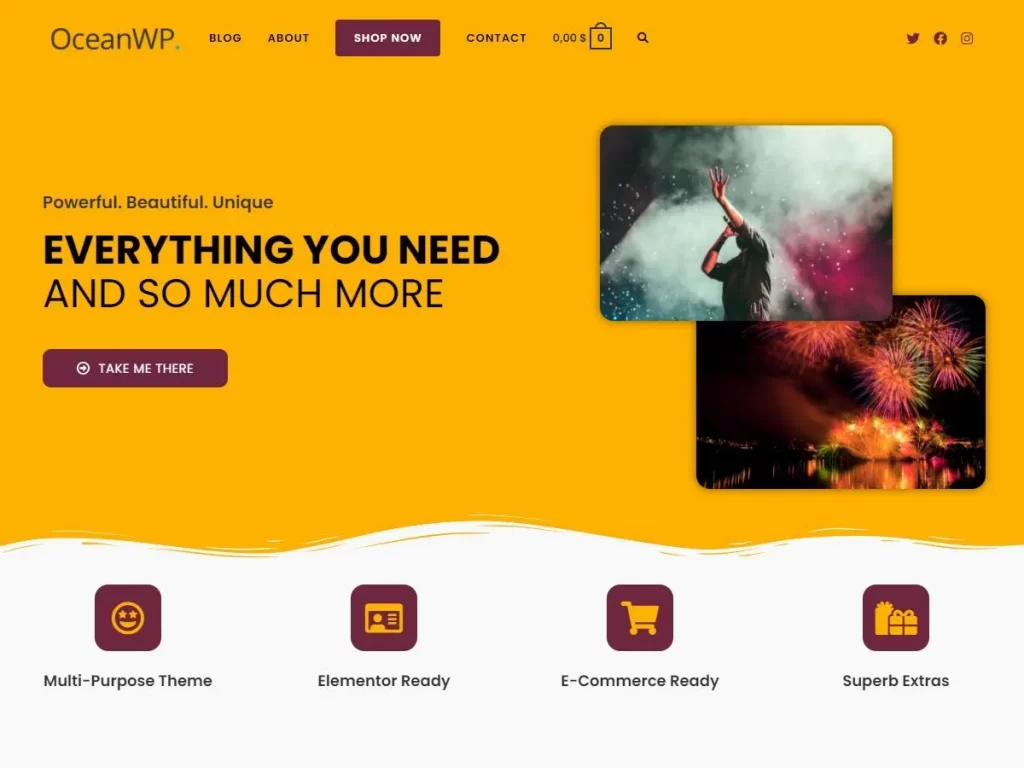
OceanWP is a popular multi-purpose WordPress theme with strong WooCommerce support and deep Elementor integration. It is known for offering many eCommerce features while still providing a usable free version.
| Aspect | Details |
| Theme type | Multi-purpose, feature-rich |
| WooCommerce layouts | Theme templates with Elementor customization |
| Elementor integration | Elementor compatible; dedicated WooCommerce widgets in Pro bundle |
| Built-in WooCommerce features | Shop templates, product layouts, off-canvas filters, quick view |
| Styling approach | Feature driven, extension based |
| Page size | ~1.3 to 1.7 MB before images |
| Largest Contentful Paint | ~2.3 to 3.4 seconds (average hosting) |
| Layout stability | Acceptable; depends on enabled features |
| Performance impact | Heavily affected by extensions, hosting, and caching setup |
Best use case: Best for WooCommerce stores that want built-in ecommerce features and are willing to optimize settings for performance.
7. Kadence
Price: Free version available; Pro bundles from $69/year
Kadence is a performance-focused WordPress theme that supports WooCommerce and works with Elementor through an additional plugin. It is not an Elementor first theme by default, but it can be extended to support Elementor-based WooCommerce layouts.
| Aspect | Details |
| Theme type | Performance focused, theme-first |
| WooCommerce layouts | Theme controlled by default |
| Elementor integration | Requires Kadence WooCommerce Elementor plugin |
| Elementor control level | Partial; full WooCommerce layouts need plugin |
| Built-in WooCommerce features | Product layouts, headers, footers, typography controls |
| Styling approach | Clean, stable, theme driven |
| Page size | ~1.2 to 1.5 MB before images |
| Largest Contentful Paint | ~2.0 to 3.0 seconds (decent hosting) |
| Layout stability | Stable when advanced options are enabled selectively |
| Performance impact | Strong when unused options and features are disabled |
Best use case: Best for WooCommerce stores that want more layout control than minimal themes but still care about performance.
8. WoodMart
Price: $59 one-time license
WoodMart is a feature-rich WooCommerce theme designed for online stores that need advanced shop functionality out of the box. It is not an Elementor first theme, but it supports Elementor as a page builder alongside its own theme system.
| Aspect | Details |
| Theme type | Feature-rich, theme-first WooCommerce theme |
| WooCommerce layouts | Theme controlled |
| Elementor integration | Elementor supported for pages and sections |
| Elementor control level | Limited; Elementor acts as a companion builder |
| Built-in WooCommerce features | Filters, variation swatches, quick view, mega menu, advanced headers |
| Styling approach | Feature-heavy, theme driven |
| Page size | ~1.6 to 2.1 MB before images |
| Largest Contentful Paint | ~2.8 to 4.0 seconds (decent hosting) |
| Layout stability | Stable; depends on configuration |
| Performance impact | Higher due to built-in features; requires optimization |
Best use case: Best for WooCommerce stores with large inventories that need advanced shop features built in and are willing to trade some performance for functionality.
9. Shoptimizer
Price: $99 (often discounted to $49)
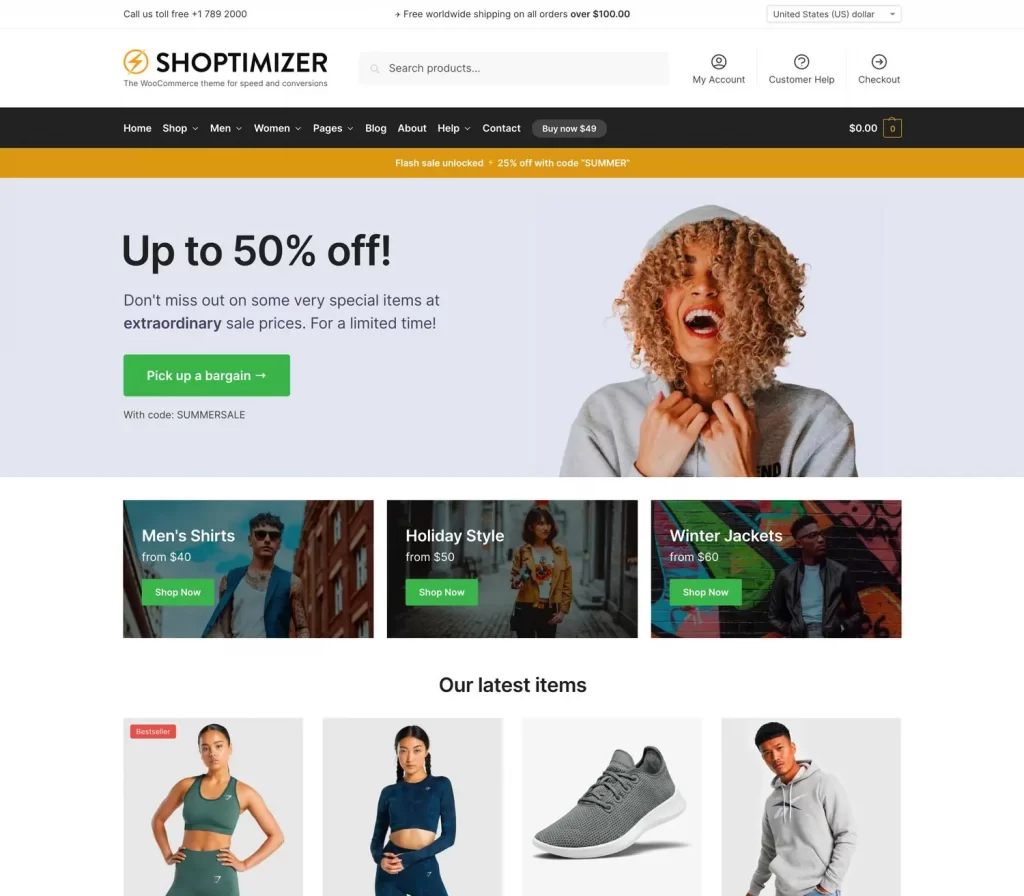
Shoptimizer is a WooCommerce theme built with a strong focus on speed and conversions. Unlike Elementor-first themes, Shoptimizer is a theme-driven solution that optimizes ecommerce behavior at the layout and checkout level.
| Aspect | Details |
| Theme type | Conversion-focused, theme-first |
| WooCommerce layouts | Theme controlled |
| Elementor integration | Elementor supported for pages and sections |
| Elementor control level | Limited; Elementor does not control core WooCommerce layouts |
| Built-in WooCommerce features | Distraction-free checkout, sticky product details, trust badges, optimized cart |
| Styling approach | Conversion-oriented, minimal design flexibility |
| Page size | ~1.4 to 1.8 MB before images |
| Largest Contentful Paint | ~2.4 to 3.6 seconds (decent hosting) |
| Layout stability | Stable, especially on checkout pages |
| Performance impact | Higher than lightweight themes, optimized for ecommerce behavior |
Best use case: Best for WooCommerce stores that focus on conversions and want ready made checkout and product optimizations without heavy customization.
10. Botiga
Price: Free version available; Pro from $63/year (1 site)

Botiga is a modern WooCommerce theme built with a strong focus on clean design, product presentation, and ease of setup. It supports Elementor well, but like several eCommerce-focused themes, it keeps the core shop structure at the theme level.
| Aspect | Details |
| Theme type | Modern, design-focused, theme-first |
| WooCommerce layouts | Theme controlled |
| Elementor integration | Elementor supported for pages and content sections |
| Elementor control level | Partial; Elementor complements theme layouts |
| Built-in WooCommerce features | Product galleries, shop grids, filters, reviews, product media |
| Styling approach | Clean, minimal, brand-focused |
| Page size | ~1.2 to 1.6 MB before images |
| Largest Contentful Paint | ~2.2 to 3.2 seconds (decent hosting) |
| Layout stability | Consistent, low visual noise |
| Performance impact | Moderate; stable when design features are kept simple |
Best use case: Best for WooCommerce stores that want a clean, modern look and do not need heavy shop features.
Together, these themes cover a wide range of WooCommerce use cases, from lightweight Elementor-first setups to feature-rich, theme-driven stores. While all of them work with Elementor, they differ significantly in how much control Elementor has, how performance is handled, and how much is managed by the theme itself.
Common Mistakes When Choosing an Elementor WooCommerce Theme
When comparing Elementor WooCommerce themes, some choices can create unnecessary complexity or performance issues later. The points below highlight common pitfalls to watch for.
1. Mix Elementor with heavy theme builders
Some WooCommerce themes already include their own page builders or layout systems. When you combine these with Elementor, both systems try to control the same pages. This often causes slower load times, layout conflicts, and harder maintenance.
If you plan to use Elementor, choose a theme that stays lightweight or clearly supports Elementor instead of competing with it.
2. Overvalue demos over performance
Many themes look great in demos, but demos are often optimized and run on powerful servers. After installation, real stores usually load slower once products, plugins, and tracking scripts are added. A fast, simple theme will perform better in the long run than a visually heavy demo with many built-in effects.
3. Choose features you will never use
Some themes include dozens of WooCommerce features such as filters, sliders, popups, and animations. If you do not need them, these features still load code and increase page size. A theme that lets you enable only what you actually use will be easier to optimize and scale as your store grows.
Ready to build or refine your WooCommerce store?
At LitOS, we help merchants choose the right setup for WooCommerce and Elementor, then turn that setup into a fast, stable, and scalable store. From theme selection to performance optimization, we focus on what actually works in real projects.
Contact UsFAQs: Best Elementor Theme for WooCommerce
What is the best Elementor theme for WooCommerce overall?
There is no single best option for everyone. Hello Elementor is best for full Elementor control and performance, while Astra and GeneratePress are better if you want a balance between speed and structure.
Is a blank canvas Elementor theme better for WooCommerce?
A blank canvas theme is better if you want Elementor to control product, shop, and checkout layouts. It is not ideal if you prefer ready made designs or do not plan to use Elementor Pro.
Are feature rich Elementor WooCommerce themes slower?
They can be. Themes with many built in WooCommerce features usually load more code. Speed depends on how many features are enabled and how well the theme is configured.
Do I need Elementor Pro for WooCommerce?
Elementor Pro is needed if you want to design WooCommerce product pages, shop pages, and checkout layouts with Elementor. Without Pro, Elementor is mostly limited to content pages.
Can one Elementor theme handle multiple WooCommerce stores?
Yes. Lightweight themes like Astra and Hello Elementor are often used for multiple stores because they stay flexible and easy to maintain.
Final Verdict: Which Is the Best Elementor Theme for WooCommerce?
There is no single best Elementor theme for WooCommerce in every situation. The right choice depends on how much control you want Elementor to have and how important performance is for your store.
If you want maximum design freedom with the lowest possible theme overhead, Hello Elementor is the best option. It works best with Elementor Pro and suits stores that prefer to build WooCommerce layouts from scratch.
If you want a balance between performance and ready-made structure, Astra is the safest choice. It remains lightweight, works smoothly with Elementor, and scales well as a store grows.
If your store needs advanced WooCommerce features out of the box, themes like WoodMart, Shoptimizer, and Botiga are better fits. These themes handle many shop functions at the theme level, while Elementor plays a supporting role rather than controlling core layouts.
In short:
- Choose a WooCommerce Elementor theme for speed and flexibility
- Choose a feature-rich WooCommerce theme for convenience and built-in shop tools
The best Elementor theme for WooCommerce is the one that matches how you actually plan to build, manage, and scale your store.

