
9 Best Shopify Shipping Apps in 2026 (Free & Paid Options)
Finding the best shipping app for Shopify depends on how complex your shipping setup is and what problems you need to solve beyond Shopify’s default shipping settings. Some stores only need basic label printing, while others require automation, international rate calculation, or precise control over checkout pricing.
This article covers:
- The key features that matter most when comparing shipping apps
- A side by side look at 9 Shopify shipping apps, including free and paid options
- Common mistakes that cause stores to overpay or choose the wrong shipping tool
The goal is not to recommend one tool for everyone, but to help you choose the Shopify shipping app that fits your current needs without adding unnecessary complexity.
Quick Comparison: Best Shopify Shipping Apps at a Glance
Shopify includes built-in shipping features that let you print labels, access discounted carrier rates, and fulfill orders with basic tracking. If you run a new store or ship a small number of orders, these default shipping settings are usually enough to get started.
As your store grows, your shipping needs become more complex. You may need automation, support for multiple carriers, international duties and taxes, or a better post-purchase tracking experience.
Shopify shipping apps are built to extend what Shopify’s default shipping settings can do, helping you save time, reduce errors, and improve delivery transparency. There is no single best shipping app for every Shopify store. The right choice depends on how you ship and where your business is headed.
| App Name | Best For | Key Strength | Pricing Model |
| ParcelPanel | Customer Experience | Branded Tracking & WISMO Reduction | Free to Start / Subscription |
| ShipStation | High Volume / Enterprise | Advanced Automation Rules | Tiered Subscription ($9.99+) |
| Shippo | Small-Mid Business E | Ease of Use & Carrier Discounts | Pay-Per-Label or Subscription |
| PH MultiCarrier | Heavy/Complex Goods | LTL Freight & Specialized Services | Tiered Subscription ($9+) |
| Easyship | International Growth | DDP (Duties Paid) & Tax Calculation | Free to Start / Volume Tiered |
| Shiprocket | India Region | Cash on Delivery & Local Couriers | Transactional / Subscription |
| Envia | LATAM Expansion | Latin American Fulfillment | Usage Based |
| ReadyShipper X | Tech / Multi-Warehouse | Hybrid-Cloud & Multi-Origin Routing | Subscription |
| Pirate Ship | Cost Savings | No Monthly Fees & Cubic Pricing | Free (Postage Only) |
The table above gives you a quick way to match your shipping needs with the right Shopify shipping app, before exploring each option in detail.
Key Features to Look For in Shopify Shipping Apps
Before choosing a Shopify shipping app, it helps to understand which features make the biggest difference in day to day fulfillment. The right app should support how you ship today and still work well as your store grows.
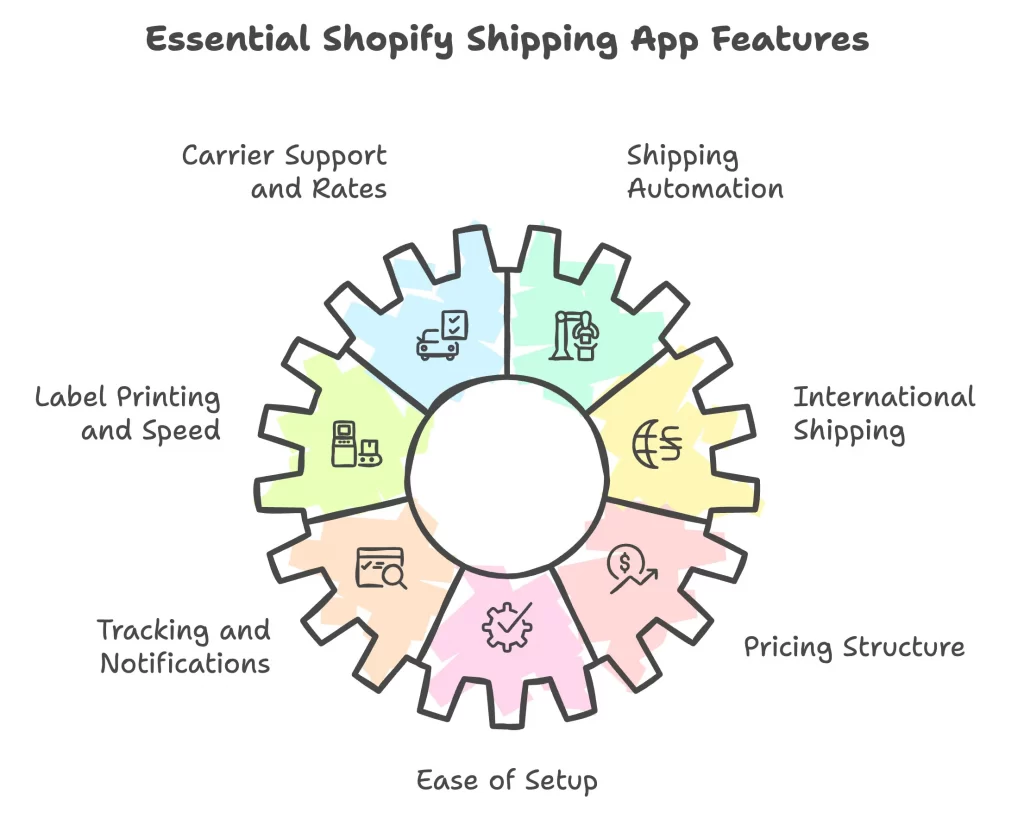
No single shipping app needs to cover every feature listed below, and most are designed to solve specific shipping problems rather than do everything at once.
- Carrier support and shipping rates: The app should support the carriers you use and provide access to competitive rates or shipping discounts.
- Shipping automation and workflow rules: Automation rules allow you to apply shipping logic based on order value, destination, product type, or shipping method.
- Label printing and fulfillment speed: Batch label printing and fast order processing help you fulfill orders more efficiently as volume increases.
- International shipping and duties handling: Clear tax and duty calculations help prevent delivery delays and unexpected costs for international orders.
- Tracking and customer notifications: Real time tracking updates and delivery notifications improve the post purchase experience and reduce support inquiries.
- Pricing structure and free plan limits: Transparent pricing and clear plan limits help you understand how costs scale as your order volume grows.
- Ease of setup and Shopify integration: A smooth Shopify integration and simple setup make the app easier to manage without technical overhead.
Each Shopify shipping app focuses on different strengths, so you should prioritize the features that match your current needs instead of looking for a single tool that tries to do everything.
Best Shipping App for Shopify: 9 Options for 2026
Shopify shipping apps help you handle fulfillment more efficiently as your store grows beyond basic shipping needs. Some apps focus on automation and speed, others improve tracking and customer communication, while some specialize in international shipping or custom rate logic.
The apps below represent the most widely used and reliable Shopify shipping solutions in 2026, each designed to solve a different set of shipping problems.
1. ShipStation
Price & rating:
- Free plan available. Paid plans start at about $14.99 per month.
- Rated around 3.9 out of 5 on the Shopify App Store.
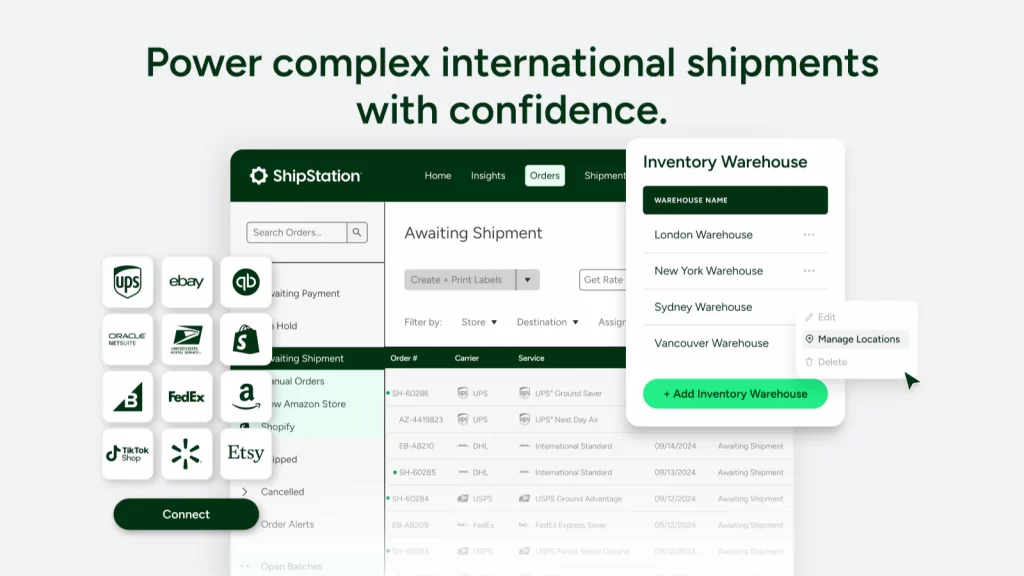
ShipStation is a shipping and fulfillment app built for stores that need more control and automation as order volume grows. It allows you to manage orders from Shopify, compare carrier rates, and automate shipping workflows across multiple carriers from a single dashboard.
| Item | Details |
| Best for | Automation and growing Shopify stores |
| Key features | Batch label printing, automation rules, multi carrier rate comparison, branded tracking pages, returns management |
| Carrier support | USPS, UPS, FedEx, DHL, Royal Mail, Australia Post, and other regional carriers |
| Strengths | Strong automation tools, wide carrier coverage, scalable for higher order volumes |
| Limitations | Interface can feel complex at first, advanced features require paid plans |
ShipStation works best if you ship multiple orders per day, use more than one carrier, or want to reduce manual steps in your fulfillment process as your store scales.
When ShipStation is not a good fit: ShipStation may feel unnecessary if you ship only a few orders per week, rely on a single carrier, or want the simplest possible shipping setup with minimal configuration.
2. Shippo
Price & rating:
- Free plan available. Paid plans start at around $19 per month.
- Rated around 3.5 out of 5 on the Shopify App Store based on a few hundred reviews.
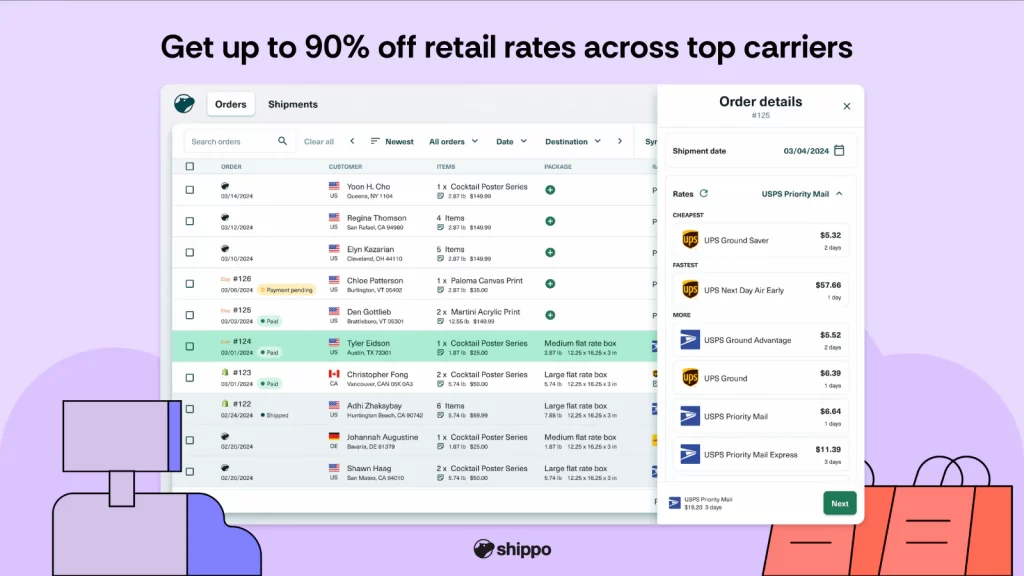
Shippo is a Shopify shipping app focused on making shipping simple and affordable, especially for stores with lower to moderate order volume. It helps you compare rates, print labels, and manage shipments across major carriers without complex setup.
| Item | Details |
| Best for | Simple setup and lower cost shipping |
| Key features | Rate comparison, label printing, basic automation, shipment tracking, returns labels |
| Carrier support | USPS, UPS, FedEx, DHL Express, and other major carriers |
| Strengths | Easy to use, free plan available, competitive carrier rates |
| Limitations | Limited automation compared to advanced tools, fewer workflow customization options |
Shippo works best if you want a straightforward shipping tool with predictable pricing and do not need advanced automation or complex fulfillment rules.
When Shippo is not a good fit: Shippo may feel limiting if you ship high volumes, rely heavily on automation rules, or need deep control over shipping workflows across multiple warehouses.
3. ShippingEasy
Price & rating:
- Free plan available with limited shipments. Paid plans start at around $19.99 per month.
- Rated around 4.4 out of 5 on the Shopify App Store with a mix of long term users and recent critical feedback.
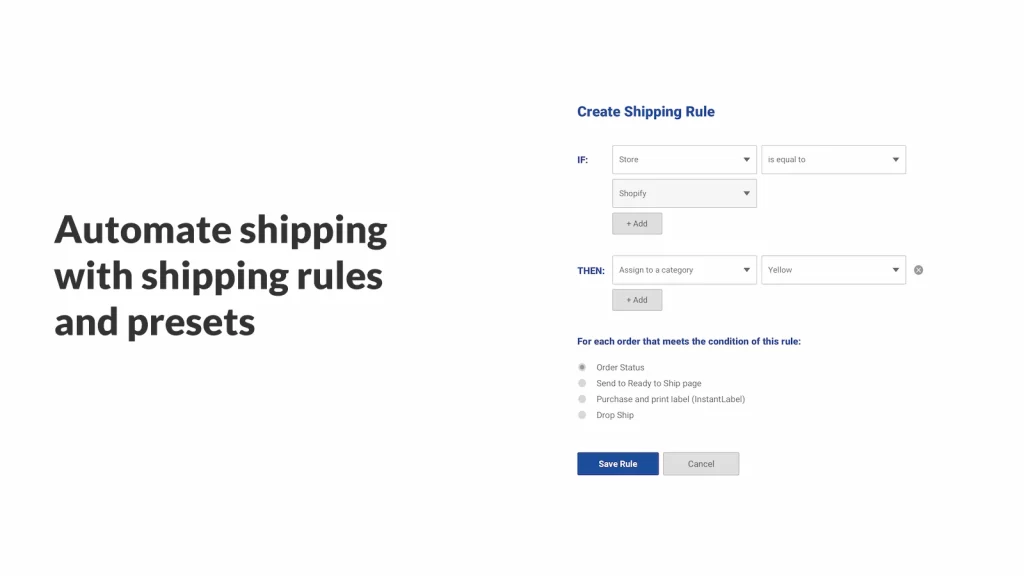
ShippingEasy is a Shopify shipping app focused on simplifying UPS and USPS shipping while combining fulfillment automation with basic marketing tools. It brings orders, shipping, tracking, and returns into one place, with an emphasis on saving time through automation and discounted carrier rates.
| Item | Details |
| Best for | High volume sellers who want automation with USPS and UPS |
| Key features | Batch label printing, shipping automation rules, discounted USPS and UPS rates, shipment tracking, returns management, basic customer marketing tools |
| Carrier support | USPS, UPS, Amazon, eBay, Etsy, Walmart |
| Strengths | Strong automation for fulfillment, discounted carrier rates, responsive customer support |
| Limitations | Heavier focus on USPS and UPS, interface may feel busy for smaller stores |
ShippingEasy works best if you process a steady volume of orders and want automation and discounted USPS or UPS rates beyond what a best free shipping app for Shopify can typically offer.
When ShippingEasy is not a good fit: ShippingEasy may cause frustration if you prefer a very simple interface, ship only occasionally, or want a tool with consistently minimal account and login issues.
4. AfterShip
Price & rating:
- Free plan available. Paid plans start at around $11 per month.
- Rated 3.9 out of 5 on the Shopify App Store based on 88 reviews.
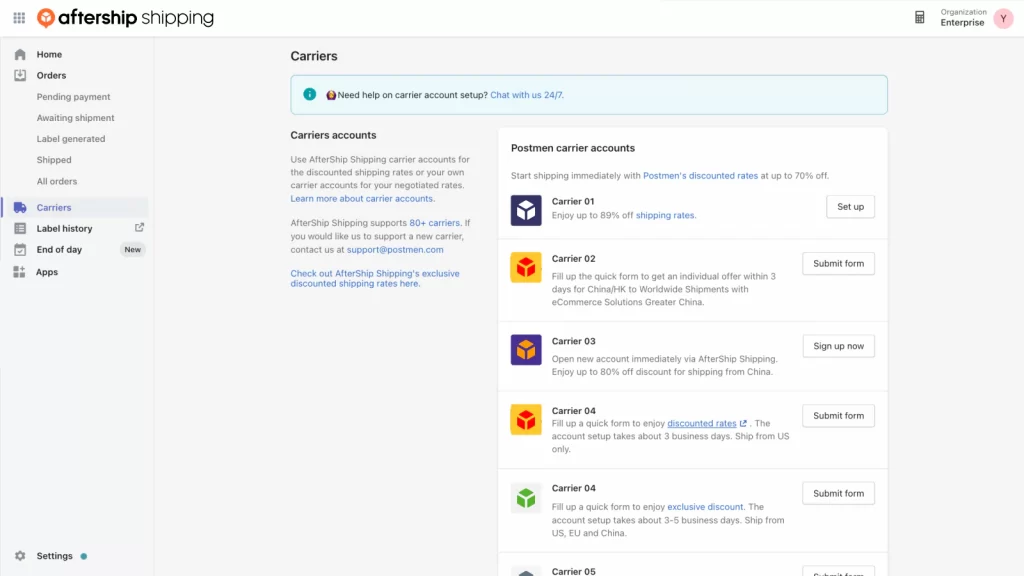
AfterShip is a multi carrier shipping and tracking app that focuses on automating shipping workflows and improving visibility across carriers. It allows you to calculate shipping rates, print labels, manage shipments, and offer multiple shipping options at checkout, with additional tools for international documentation.
| Item | Details |
| Best for | Tracking focused stores and multi carrier shipping |
| Key features | Multi carrier rate calculation, shipping labels, address validation, shipping automation rules, commercial invoices and customs documents |
| Carrier support | USPS, UPS, DHL, TNT, Australia Post, Canada Post |
| Strengths | Strong multi carrier support, flexible shipping options at checkout, useful for international shipments |
| Limitations | Interface can feel complex, review feedback mentions occasional issues with invoices and tracking accuracy |
AfterShip works best if you want more control over shipping options and carrier selection at checkout, making it a strong candidate for the best shipping rates app for Shopify when multi-carrier pricing matters.
When AfterShip is not a good fit: AfterShip may not suit you if you only need simple tracking, prefer a very lightweight setup, or want consistently high rated support with minimal configuration.
5. Easyship
Price & rating:
- Free plan available with limited shipments. Paid plans start at around $29 per month.
- Rated 4.1 out of 5 on the Shopify App Store based on 324 reviews.
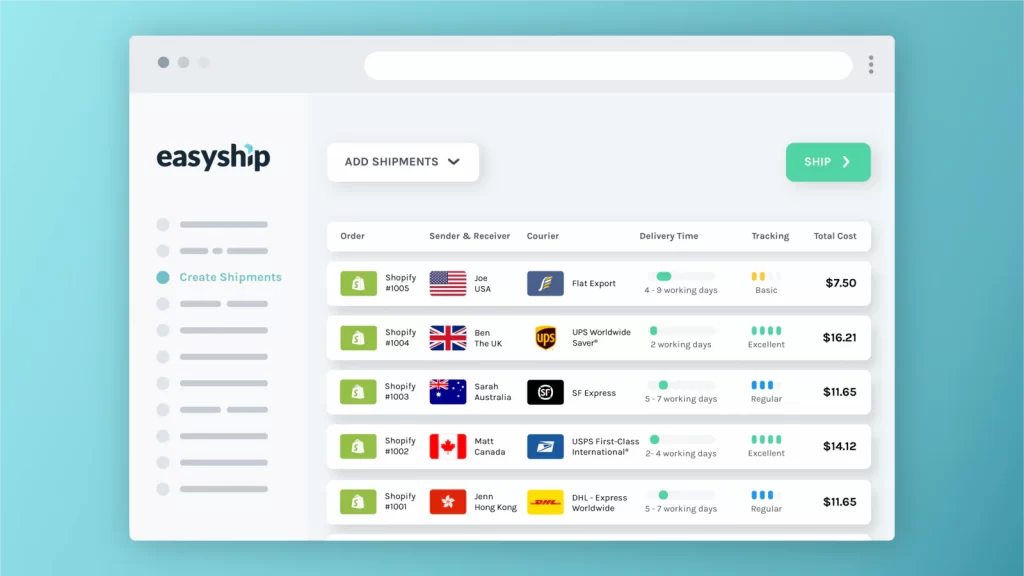
Easyship is a Shopify shipping app built for international selling, with a strong focus on transparent rates, duties, and taxes at checkout. It helps you compare carrier options, calculate landed costs, and manage cross border shipping from one dashboard, aiming to reduce abandoned carts caused by unexpected fees.
| Item | Details |
| Best for | International shipping and duty calculation |
| Key features | Real time rate comparison, duties and taxes calculation at checkout, shipping labels, customs documentation, branded tracking |
| Carrier support | UPS, FedEx, USPS, DHL Express, Australia Post, Canada Post, and regional carriers |
| Strengths | Clear landed cost calculation, wide carrier coverage, helpful for cross border selling |
| Limitations | Pricing can increase with volume, some reviews mention account restrictions or support delays during issues |
Easyship works best if you sell internationally and want customers to see accurate shipping costs, taxes, and duties before completing checkout.
When Easyship is not a good fit: Easyship may not be the right choice if you ship only domestically, want the lowest possible cost for simple shipments, or prefer a very lightweight shipping setup with minimal fees.
6. Pirate Ship
Price & rating:
- Free to install with no monthly fees. You pay only for postage.
- Rated 4.5 out of 5 on the Shopify App Store based on 63 reviews.
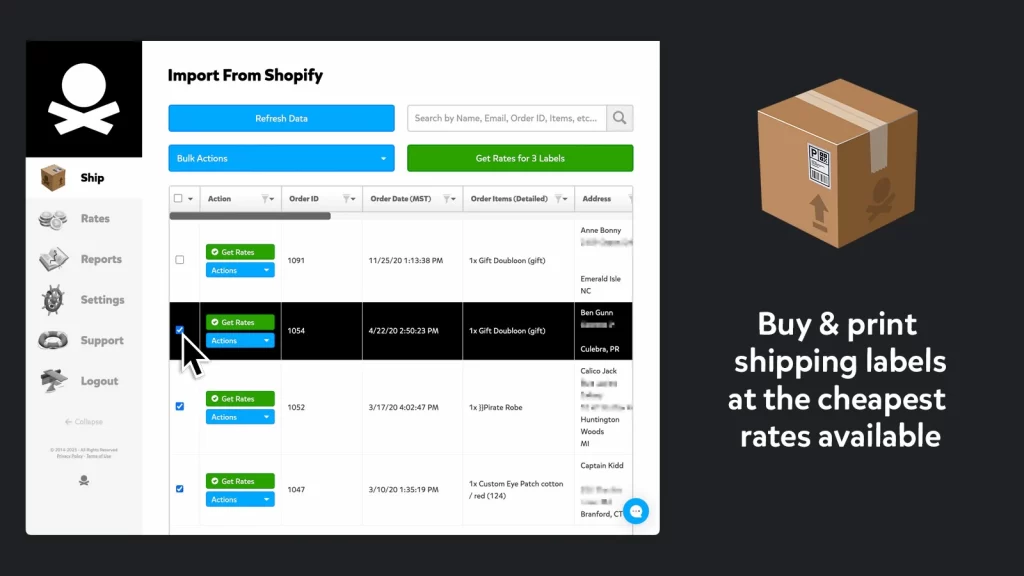
Pirate Ship is a simple Shopify shipping app focused on offering deeply discounted USPS and UPS rates without subscriptions or complex setup. It is designed to help you buy labels quickly, sync orders from Shopify, and keep shipping costs low, especially for US based shipments.
| Item | Details |
| Best for | Free shipping labels and low cost USPS shipping |
| Key features | Discounted USPS and UPS rates, fast label printing, order sync with Shopify, tracking number updates |
| Carrier support | USPS and UPS |
| Strengths | No monthly fees, very easy to use, strong discounts on USPS services |
| Limitations | Limited carrier options, minimal automation, fewer advanced fulfillment features |
Pirate Ship works best if you ship mainly within the US, want the lowest possible shipping costs, and prefer a straightforward tool without subscriptions or advanced configuration.
When Pirate Ship is not a good fit: Pirate Ship may not suit you if you need multi carrier automation, international duty handling, or advanced shipping rules for complex fulfillment workflows.
7. ShipX
Price & rating:
- Free plan available. Paid plans start at around $9.99 per month, with higher tiers at around $24.99 and $34.99 per month.
- Rated 4.9 out of 5 on the Shopify App Store based on 1,068 reviews.
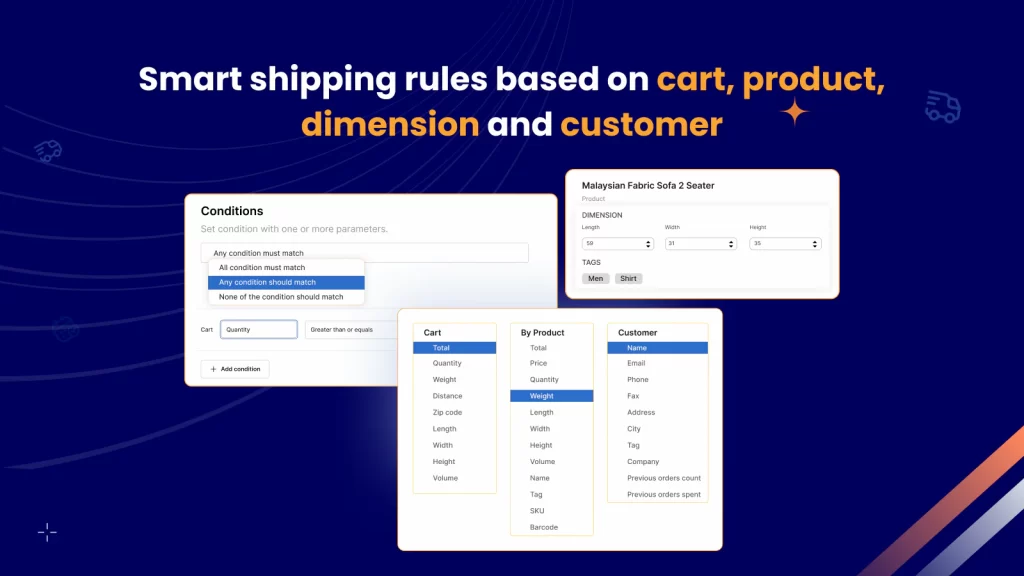
ShipX focuses on shipping rates and rules rather than label buying. It helps you build accurate, logic-based shipping rates at checkout using conditions like cart total, weight, quantity, product rules, and destination. The high rating and large review count suggest many users value its flexibility, especially when Shopify’s default rate settings feel too limited.
| Item | Details |
| Best for | Advanced shipping rates and custom rules at checkout |
| Key features | Condition based shipping rates using cart total, weight, quantity, and volume, custom rates by customer and location, rate blending across rules, reverse lookup using zip or postal code and distance, AI based packaging logic for box size scenarios |
| Carrier support | USPS, FedEx, Canada Post, UPS, Australia Post, DHL |
| Strengths | Very strong control over shipping logic, built for complex rate setups, strong satisfaction signal from a high rating with many reviews |
| Limitations | Setup requires time and careful rule planning, the feature set can feel overwhelming if you only need basic rates |
ShipX works best if you need precise shipping rates at checkout, especially when you sell products with different weights or dimensions, ship to multiple zones, or want rule based pricing that Shopify cannot handle well by default.
When ShipX is not a good fit: ShipX may not suit you if you only need simple flat rates or basic label printing and you want the fastest possible setup with minimal configuration.
8. Parcelify
Price & rating:
- Paid plans start at around $19.99 per month with a free trial available.
- Rated 4.8 out of 5 on the Shopify App Store based on 176 reviews.
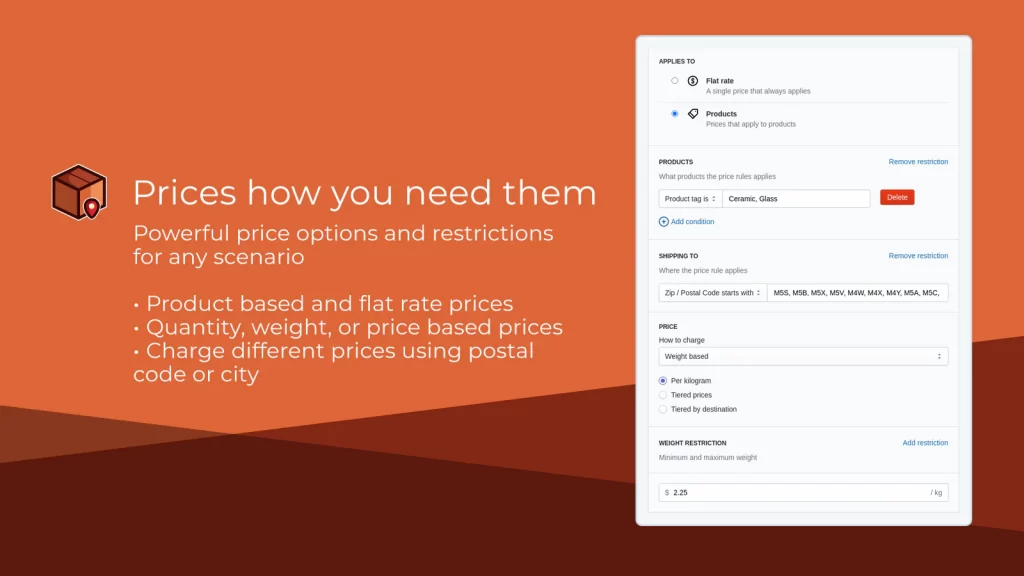
Parcelify is a Shopify shipping rates app designed to give you precise control over how shipping costs are calculated at checkout. Instead of focusing on label printing or carrier discounts, Parcelify focuses on building custom shipping rules based on products, tags, collections, locations, and cart conditions.
| Item | Details |
| Best for | Custom shipping rules and complex rate logic |
| Key features | Product and tag based shipping rates, location based pricing, shipping rate calculators, rule merging across products, interactive postcode lookup |
| Carrier support | Works with Shopify checkout rather than direct carrier label purchasing |
| Strengths | Very flexible rule system, strong control over margins, highly rated for complex shipping scenarios |
| Limitations | Does not handle label printing or carrier discounts, setup requires careful rule planning |
Parcelify stands out as the best Shopify app for shipping when your store requires precise rate control for products with different sizes, weights, or destinations.
When Parcelify is not a good fit: Parcelify may not suit you if you want an all in one shipping tool that includes label printing, carrier rate discounts, or automated fulfillment workflows.
9. Shopify Shipping
Price & rating:
- Included with your Shopify plan at no additional cost.
- Shopify Shipping does not have a public App Store rating because it is a built in feature, not a standalone app.
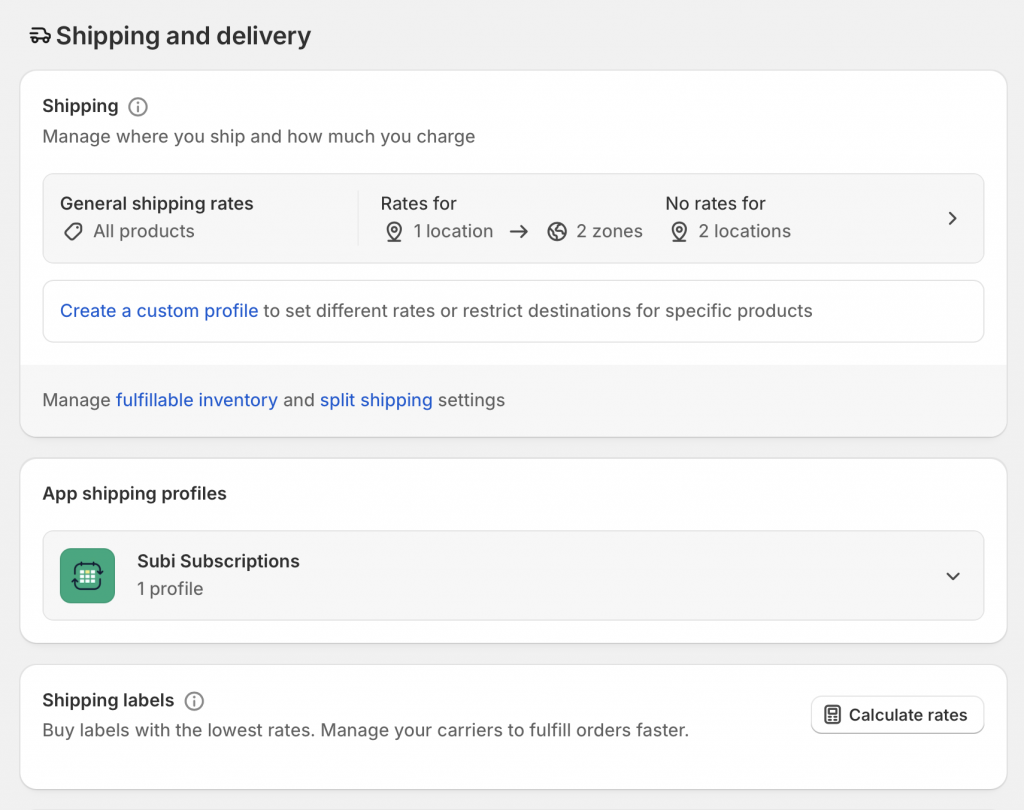
Shopify Shipping is Shopify’s native shipping solution that comes bundled with your store. It allows you to buy and print shipping labels, access Shopify negotiated carrier discounts, and manage fulfillment directly inside the Shopify admin, without installing additional shipping apps.
| Item | Details |
| Best for | Stores that want shipping built into Shopify without extra tools |
| Key features | Discounted shipping rates, label printing in bulk or individually, basic tracking, address validation, and estimated delivery dates |
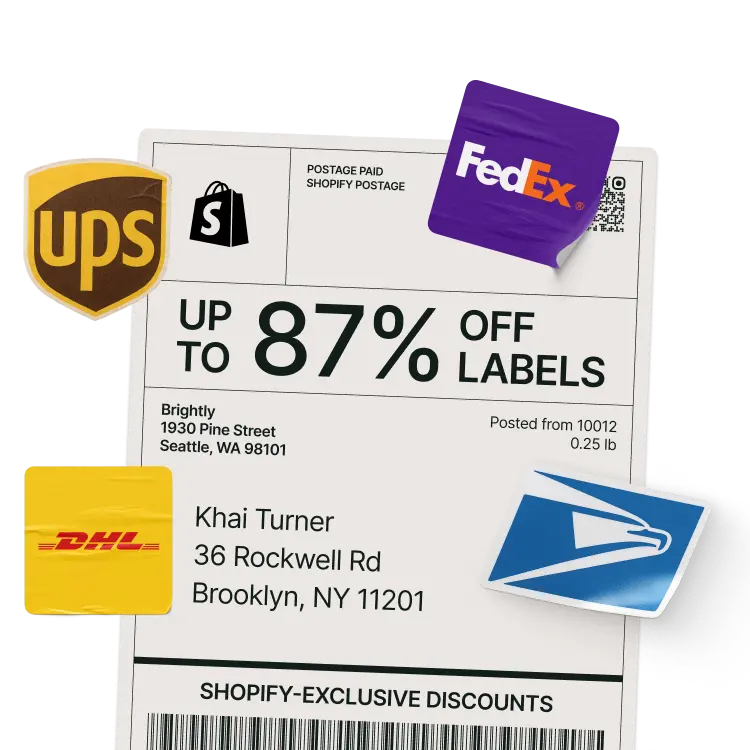
| Carrier discounts | Up to ~77–88% off USPS, UPS, and DHL Express rates, depending on plan and region |
| Shipping insurance | Up to $200 coverage per eligible label when using Shopify Payments |
| Calculated rates | Limited by default; third party carrier calculated rates require paid add ons or apps |
| Strengths | No extra monthly cost, Shopify exclusive discounts, fully integrated workflow |
| Limitations | Basic rate logic, limited automation, restricted access to advanced carrier calculated rates |
Shopify Shipping works best if you want discounted labels and a simple end to end shipping workflow inside Shopify, without managing separate shipping platforms.
When Shopify Shipping is not a good fit: Shopify Shipping may not suit you once you need advanced automation, detailed rate rules, multi carrier workflows, or clear duties and tax calculations for international orders.
And that’s all for the best shipping app for Shopify. Each Shopify shipping app above solves a specific shipping problem, which means the best option is the one that matches your order volume, carriers, and level of control you actually need.
How to Install and Set Up a Shopify Shipping App
Most Shopify shipping apps follow a similar setup process, so you can usually get started quickly and switch tools later without changing how your store works.
To install a Shopify shipping app:
- Find the shipping app you want in the Shopify App Store based on your needs, such as label printing, rate calculation, or carrier integration
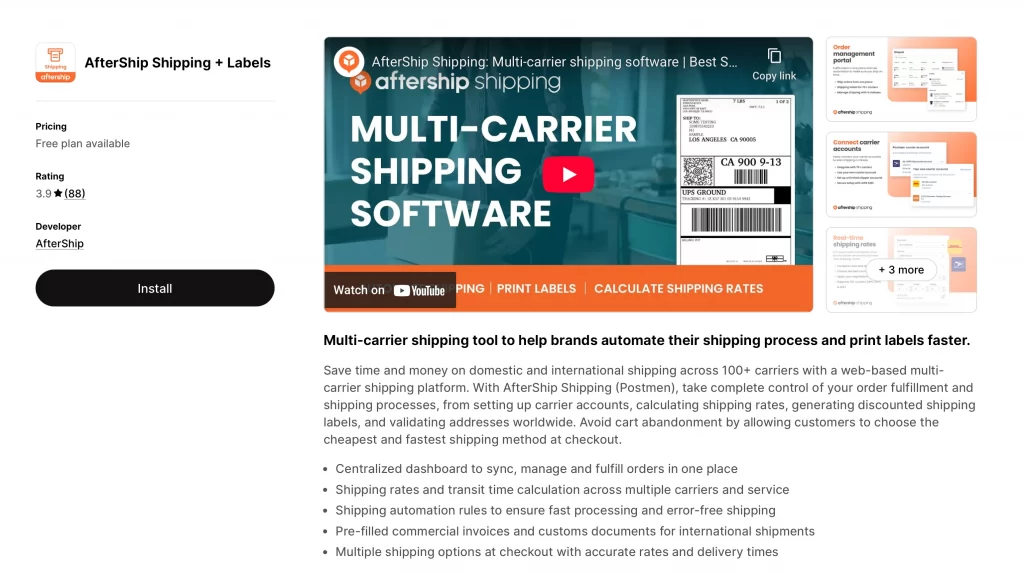
- Click Install on the app listing page
- Review the permissions requested and approve the installation
- Access the app dashboard or onboarding screen inside your Shopify admin
Then, for the shipping app setup, the process generally goes down as below:
- Connect your carrier accounts, such as UPS, FedEx, USPS, or DHL, if required
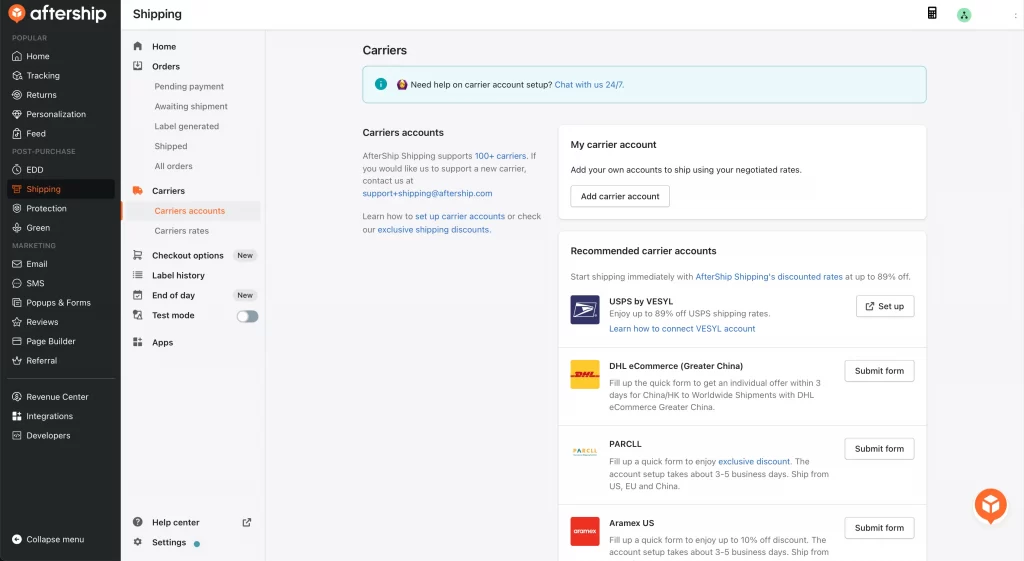
- Configure shipping rules that match how you ship, including weight, destination, product type, or SKUs
- Map the app’s shipping rates to your Shopify checkout so customers see accurate costs
- Set label preferences, including printer type and label size
- Create a test order to confirm rates display correctly and labels generate without errors
Before going live, you should create a test order to confirm that rates appear correctly at checkout and labels generate without errors. Many apps also allow optional automation, such as automatic label purchasing, tracking updates, or fulfillment status changes.
To avoid issues, it helps to start with a single carrier, review the app’s documentation for carrier specific requirements, confirm compatibility with any 3PL or fulfillment service you use, and monitor the first few shipments closely.
Common Mistakes When Choosing Shopify Shipping Apps
Many shipping problems come from tool choices rather than carriers, especially when an app does not match how you actually ship day to day.
1. Choose based on features instead of use case
Many Shopify shipping apps look impressive on paper, but a long feature list does not guarantee a good fit for your store. Problems often appear when you pay for tools you never use or choose an app built for high-volume workflows while you only ship a few orders per day.
You should start by identifying your main shipping challenge, such as automation, international duties, or rate control, and then choose the app that specializes in that area.
2. Pay for automation too early
Automation becomes valuable only when manual shipping starts to slow you down or cause errors. Paying for advanced automation before reaching that point can add unnecessary cost and setup complexity.
If you still handle labels and fulfillment comfortably, a simpler app or Shopify Shipping usually works better until your order volume increases.
3. Ignore tracking and customer communication
Shipping issues often turn into support problems when customers do not know where their orders are. Apps that focus only on label printing may leave you with limited tracking updates and poor delivery communication.
A shipping app that sends clear tracking notifications and updates can reduce customer questions and improve trust, especially as order volume grows.
Most shipping problems do not come from the wrong carrier, but from choosing tools that do not match how a store actually operates. Avoiding these mistakes helps you save money, reduce friction, and upgrade your shipping setup at the right time.
Best Shipping App for Shopify: FAQs
What is the best shipping app for Shopify?
There is no single best shipping app for everyone, since the right choice depends on how you ship, your order volume, and whether you need automation, international rates, or custom rules.
What is the best shipping method for Shopify?
The best shipping method is one that balances cost, delivery speed, and reliability for your customers, which often means combining Shopify Shipping for basics with a shipping app when complexity increases.
What shipping platform does Shopify use?
Shopify uses its built in Shopify Shipping system, which lets you buy labels, access discounted carrier rates, and manage fulfillment directly from your Shopify admin.
How can I make shipping cheaper on Shopify?
You can reduce shipping costs by using Shopify’s discounted rates, choosing the right carrier for each destination, and using shipping apps to compare rates or apply smarter shipping rules.
Can I use multiple shipping apps on Shopify?
Yes, you can use multiple shipping apps, but you should do so carefully to avoid conflicts in rates, checkout behavior, or fulfillment workflows.
Final Verdict
The best shipping app for Shopify depends on how you ship today and how much complexity you actually need. Shopify Shipping works well as a starting point, while shipping apps become valuable once you need automation, stronger rate control, international pricing, or better tracking and communication.
Focus on the tool that solves your most immediate shipping challenge instead of searching for a single all-in-one solution. The right app at the right stage helps you control costs, reduce friction, and scale your shipping setup without adding unnecessary complexity.
Ready to simplify your Shopify shipping setup?
At LitOS, we help you choose and implement the right Shopify tools based on how your store actually operates. From shipping workflows and app setup to store migrations and long term growth strategy, our team supports you at every stage.
Contact Us
