
Best Translation App for Shopify (2026 Comparison Guide)
Finding the best translation app for Shopify is essential for stores that want to reach international customers, improve trust, and compete in global search results. As Shopify continues to expand its multi-market capabilities in 2026, translation apps play a central role in turning traffic from different regions into real sales.
In this guide, we focus on what actually matters when choosing a best translation app for Shopify:
- Translation quality and AI capabilities
- Language coverage and compatibility with Shopify features
- Multilingual SEO and URL handling
- Automation, manual control, and scalability
- Pricing and long-term value for growing stores
Below, you will find a detailed comparison of the best Shopify translation apps, including free and paid options, along with clear recommendations based on different store sizes and international goals.
Why You Need a Translation App for Shopify
Selling on Shopify is no longer limited to one country or one language. As soon as you start attracting international visitors, language becomes a key factor in whether customers trust your store, understand your products, and feel confident completing a purchase.
Shopify does support multiple languages, but its built-in capabilities are basic and often require a translation app to work efficiently at scale. A dedicated translation app helps you automatically translate product pages, collections, navigation, and dynamic content while keeping everything organized inside your Shopify admin.
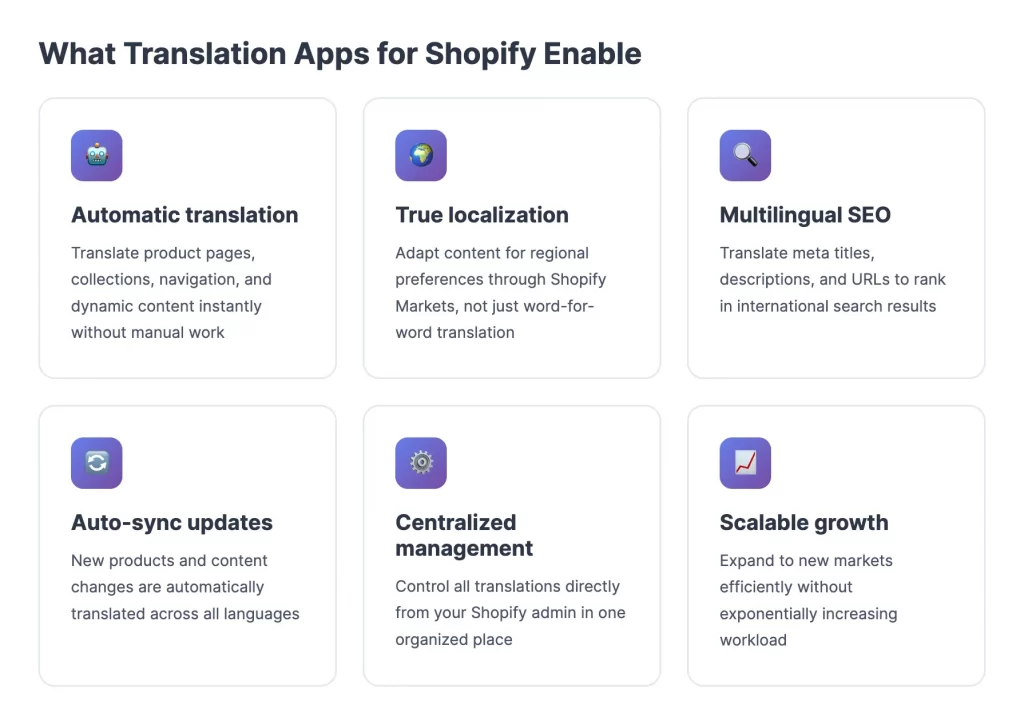
More importantly, translation apps enable proper localization, not just word-for-word translation. This includes adapting content for different regions through Shopify Markets, translating meta titles and URLs for multilingual SEO, and ensuring new products or updates are translated automatically. Without a translation app, international growth becomes manual, inconsistent, and difficult to maintain as your store expands.
Best Translation App for Shopify: 10 Leading Apps Reviewed
With dozens of translation apps available in the Shopify App Store, choosing the right one can feel overwhelming. Each app differs in translation quality, language coverage, SEO capabilities, automation, and pricing, which means the best option depends on your store size and international goals.
Below are our list of the best translation apps for Shopify:
| App name | Best for | Translation engine | Language support | SEO features |
| Shopify Translate & Adapt | Small stores, basic needs | Shopify Translation API | ~21 languages | Basic SEO via Shopify Markets, translated meta fields |
| LangShop | Complex stores, SEO focused | ChatGPT, DeepL, Google | 100+ languages | Translated URLs, meta tags, Shopify Markets integration |
| Transcy | AI translation + currency | OpenAI, DeepL, Gemini, Google, Baidu | 140+ languages | SEO URLs, meta tags, auto sync, Markets support |
| Weglot | Large scale, automation, SEO | Weglot AI + rules | 100+ languages | Strong multilingual SEO, hreflang, clean URLs |
| GTranslate | Broad language coverage | Google Translate | 100+ languages | SEO indexing and URLs on paid plans |
| T Lab | AI autopilot, own API | ChatGPT, DeepL, Google | 20+ languages | Translated meta tags, auto sync, SEO friendly |
| Locales.ai | App heavy stores, GPT | GPT-5.1 | 50+ languages | SEO translation for URLs and meta fields |
| Transtore | All in one localization | GPT based AI | Multiple languages | Multilingual SEO, URL translation |
| Langify | Manual control, stability | Machine + manual | Multiple languages | SEO subfolders, translated URLs |
| Langwill | AI + SEO + currency | GPT-4, DeepL, Google | 130+ languages | SEO URLs, meta tags, geo-based routing |
In the sections below, we review the most popular Shopify translation apps based on real use cases.
1. Shopify Translate & Adapt
Pricing: Free
Best for: Small Shopify stores that want a simple, no cost way to add multilingual support without using third party tools.
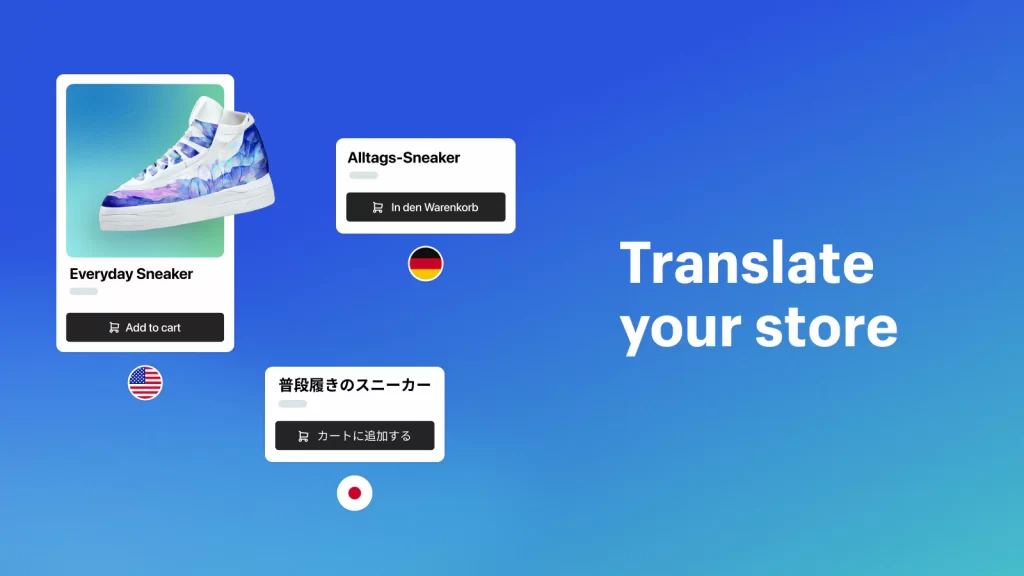
Shopify Translate & Adapt is the best free translation app for Shopify. It’s Shopify’s official translation app that allows merchants to automatically translate store content and manually edit translations directly inside the Shopify admin. It is tightly integrated with Shopify Markets, making it easy to localize content for different regions while keeping everything managed in one place.
Language support and key features:
- Supports around 20 plus languages
- Automatic translation powered by Shopify Translation API
- Manual side by side editor for reviewing and adjusting translations
- Integration with Shopify Markets for regional content adaptation
- Translates products, collections, pages, navigation, and basic SEO fields
Pros and cons:
| Pros | Cons |
| Free and built into Shopify | Limited advanced SEO controls |
| Seamless integration with Shopify Markets | Not ideal for large catalogs |
| Easy to set up and use | Fewer automation options |
| Manual editing available | Translation quality may need review |
Here’s a real user review on the Shopify App Store:
Paid a lot for anther app when this does the same job for free, ideal for a small business like us. The actual translation isn’t bad either, just had to amend a few words
– Mêl Llŷn from United Kingdom
When this app is a good fit and when it is not:
This app is a good fit if you are testing international markets or running a small store with basic translation needs, but it may not be the best choice if you require advanced multilingual SEO, large scale automation, or support for many languages and complex store structures.
2. LangShop
Pricing: Free plan available, paid plans start around $10/month and scale based on languages and usage.
Best for: Growing and complex Shopify stores that need strong multilingual SEO, deep Shopify integration, and control over translated content.
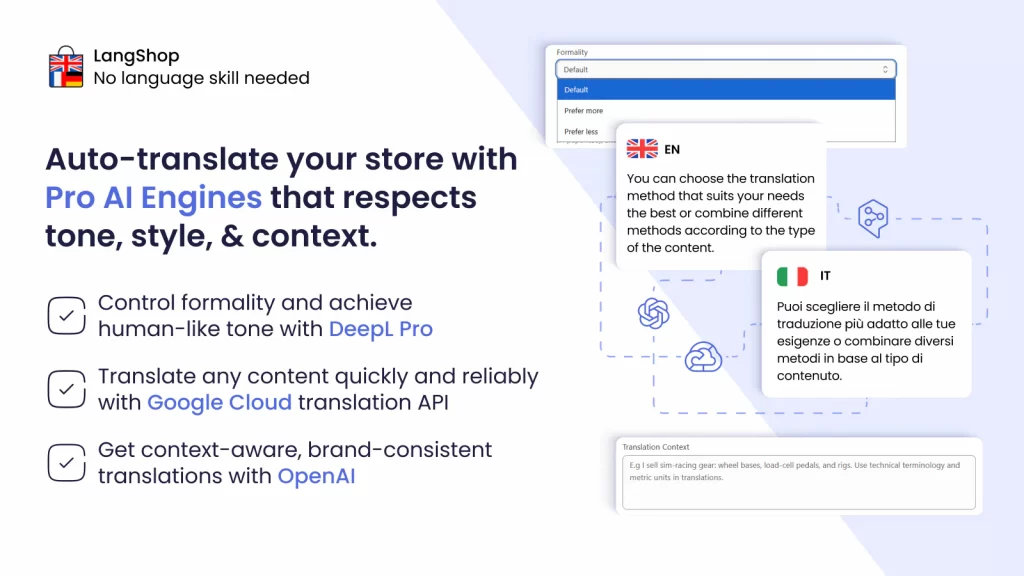
LangShop is a full-featured Shopify translation app designed for merchants selling in multiple markets and languages. It combines AI powered translation with manual controls, making it suitable for stores that care about accuracy, brand consistency, and SEO. LangShop is especially popular with merchants using Shopify Markets and advanced store structures.
Language support and key features:
- Supports dozens of languages with AI translation options
- AI engines including ChatGPT, DeepL, and Google Translate
- Translates products, collections, pages, blogs, checkout, metafields, and URLs
- Glossary rules to keep brand terminology consistent
- Auto sync translations for new or updated content
Pros and cons:
| Pros | Cons |
| Strong multilingual SEO support | Can become expensive as you scale |
| Handles complex stores and metafields well | Learning curve for beginners |
| Good balance of AI automation and manual control | Some features locked behind higher plans |
| Reliable integration with Shopify Markets |
When this app is a good fit and when it is not:
LangShop is a good fit if your store has many products, multiple languages, or SEO focused international goals, but it may be more than you need if you only want basic translations for one or two languages.
3. Transcy: AI Language Translate
Pricing: Free plan available, paid plans start around $14.90/month and scale based on the number of languages and features.
Best for: Shopify stores that want AI-powered translation combined with automatic currency conversion and geolocation features.
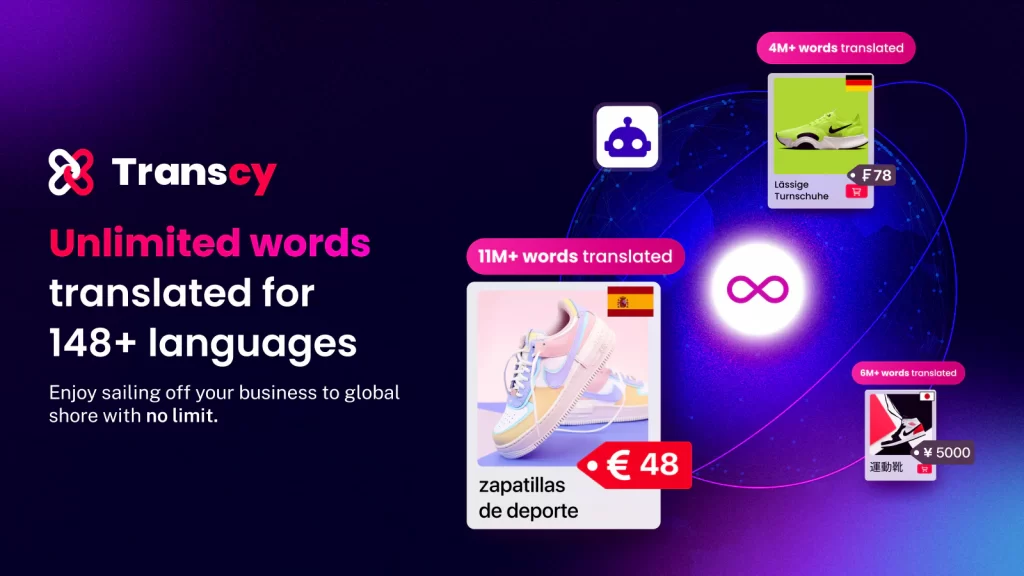
Transcy is a Shopify translation app focused on helping merchants sell globally through AI driven language translation and localization. It supports multiple AI engines and integrates translation with currency switching, making it suitable for stores targeting international audiences. Transcy is especially popular with merchants who want automation without giving up manual control.
Language support and key features:
- Supports over 140 languages
- AI translation engines including OpenAI, DeepL, Gemini, Google, and Baidu
- Translates products, collections, pages, blogs, checkout, images, and URLs
- Automatic translation and manual editing options
Pros and cons:
| Pros | Cons |
| Very broad language support | Advanced features require paid plans |
| Strong AI translation capabilities | Can feel complex for beginners |
| Built-in currency and geolocation features | Some users report occasional performance issues |
| Good balance of automation and control |
When this app is a good fit and when it is not:
Transcy is a good fit if you want AI-driven translations with currency and geolocation support in one tool, but it may be more than you need if you only require simple translations for a small number of languages.
4. Weglot
Pricing: Free plan available with limited translated words, paid plans start around $17/month and scale based on word count and languages.
Best for: Large Shopify stores and international brands that prioritize multilingual SEO, automation, and minimal manual maintenance.
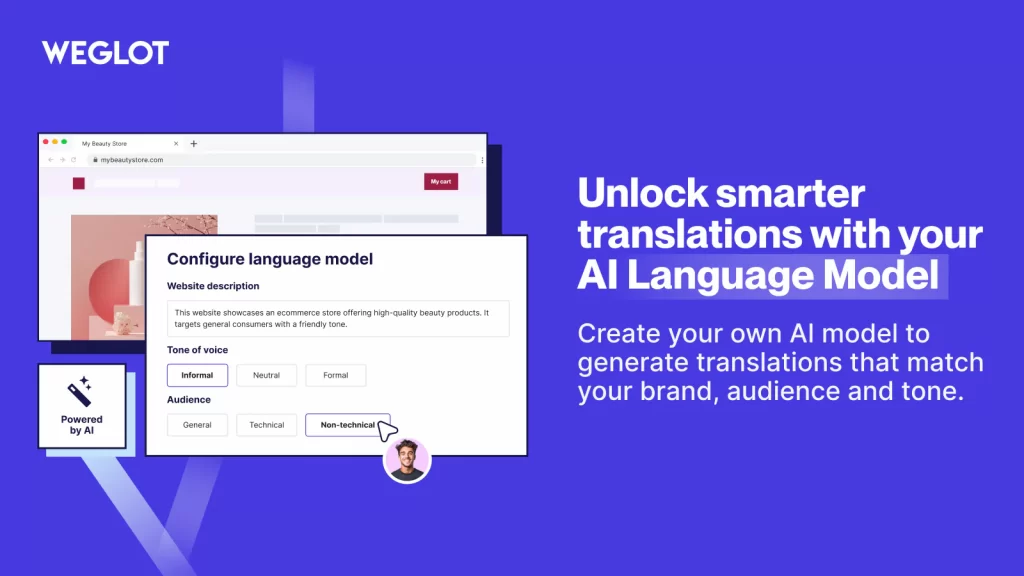
Weglot is a SaaS based translation solution that connects to your Shopify store and automatically translates content into multiple languages. Unlike native Shopify apps, Weglot runs independently and focuses heavily on SEO ready translations, including clean URLs and proper indexing.
Language support and key features:
- Supports over 100 languages
- Automatic translation with manual editing and glossary rules
- Auto detection and translation of new content
- Visual editor for in-context translation review
Pros and cons:
| Pros | Cons |
| Strong multilingual SEO | Pricing scales quickly with traffic and content |
| Very high automation level | External SaaS dependency |
| Clean translated URLs and indexing | Limited control inside Shopify admin |
| Works well for large international sites |
When this app is a good fit and when it is not:
Weglot is a good fit if you want a highly automated, SEO focused translation solution for multiple languages, but it may not be ideal if you prefer a fully Shopify native app or need tight control over translations inside the Shopify admin.
5. G Translate (Shop Translator)
Pricing: Free plan available, paid plans start around $9.99/month and scale based on features and SEO options.
Best for: Shopify stores that want broad language coverage with a simple setup and optional multilingual SEO support at a relatively low cost.
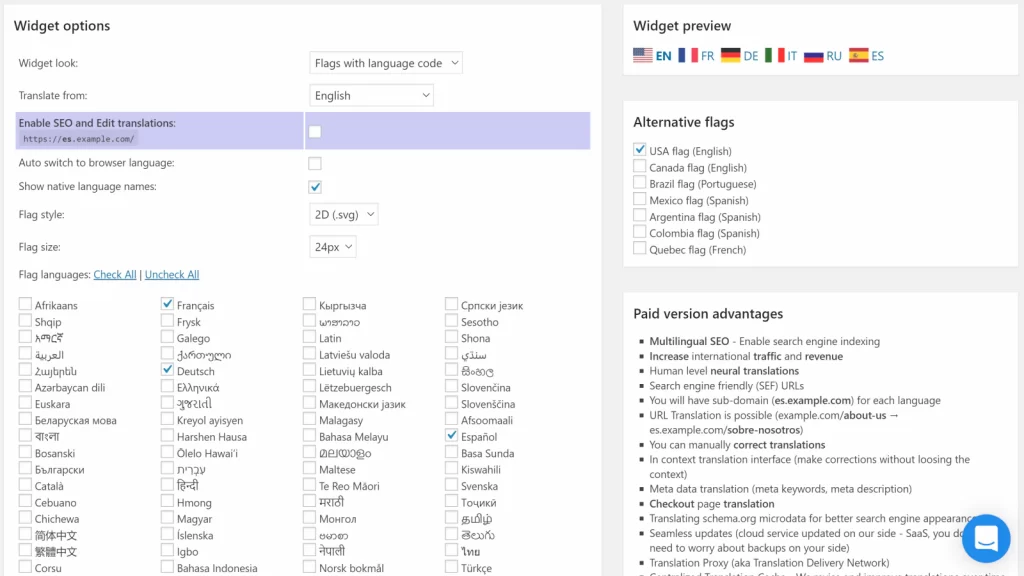
GTranslate is a Shopify translation app built on Google Translate that allows merchants to quickly translate their store into many languages. It focuses on ease of use and wide language support, with higher tier plans adding SEO friendly features like translated URLs and indexed pages. GTranslate is often chosen by stores that want fast international reach without complex configuration.
Language support and key features:
- Supports over 100 languages via Google Translate
- Automatic translation with manual editing options
- Language switcher with customizable design
- SEO features such as translated URLs and indexed pages on paid plans
- Proxy based translation to support third party apps and dynamic content
Pros and cons:
| Pros | Cons |
| Very wide language support | SEO features require paid plans |
| Quick and easy setup | Translation quality depends on Google Translate |
| Affordable entry level pricing | Less control than advanced AI based apps |
| Works with most Shopify themes |
After using the app for two months, Giant Freeze from the United Kingdom shared the following review on the Shopify App Store:
Great GUI and excellent support staff. Helped me integrate into my theme menu. I tried other apps for translation and nothing comes close to the GUI/UX from GTranslate. We are definitely going to be using the paid for version in the future.
When this app is a good fit and when it is not:
GTranslate is a good fit if you want fast multilingual support and broad language coverage at a reasonable cost, but it may not be ideal if you need highly accurate translations, deep Shopify Markets integration, or advanced AI driven localization features.
6. T Lab – AI Language Translate
Pricing: Free to install, paid plans start around $9.99/month and scale based on the number of languages and AI usage.
Best for: Shopify stores that want AI powered translations with strong automation, glossary control, and the option to use their own translation API.
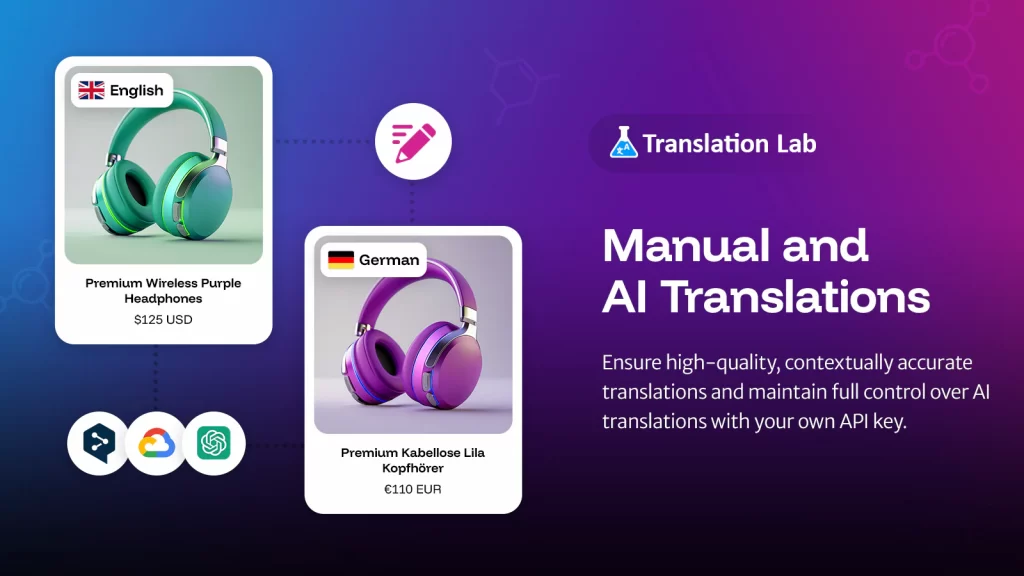
T Lab – AI Language Translate is a Shopify translation app built around AI automation and scalability. It supports multiple translation engines and allows merchants to automatically translate new content while maintaining brand consistency through glossary rules. T Lab is often chosen by stores that want hands off translation without sacrificing control.
Language support and key features:
- Supports multiple languages with AI powered translation
- Works with AI engines such as DeepL, Google, and ChatGPT
- Automatic translation of new and updated content
- Manual editing, bulk translation, and glossary management
- Translates products, collections, pages, blogs, metafields, and SEO fields
Pros and cons:
| Pros | Cons |
| Strong AI automation and auto sync | Advanced AI features require paid plans |
| Glossary support for brand consistency | May be overkill for very small stores |
| Good balance of automation and manual control | Fewer entry level tutorials |
| Competitive pricing for AI features |
When this app is a good fit and when it is not:
T Lab is a good fit if you want AI driven translations that update automatically as your store grows, but it may not be necessary if you only need basic translations for one language or a very small catalog.
7. Locales.ai
Pricing: Free plan available, paid plans start around $9.99/month and scale based on translation credits and features.
Best for: Shopify stores that want modern AI powered translations with strong support for third party apps and dynamic content.
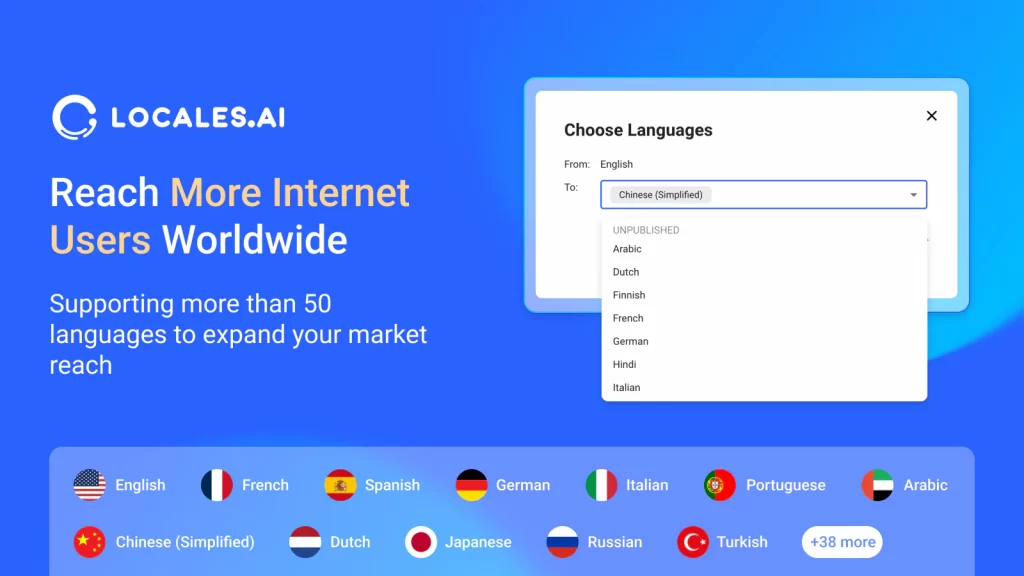
Locales.ai is an AI driven Shopify translation app built around GPT 5.1 and designed for speed, accuracy, and scalability. It focuses on automating translations across the entire store while giving merchants control through manual edits and glossary rules. Locales.ai is particularly attractive to stores using many apps or complex Shopify setups.
Language support and key features:
- Supports 50+ languages with GPT-powered translation
- Strong support for third party apps such as PageFly, GemPages, and review tools
- Glossary management for brand consistency
- Auto sync for new and updated content
Pros and cons:
| Pros | Cons |
| High quality AI translations with GPT 5.1 | Credit based pricing can add up |
| Excellent third party app compatibility | Newer app with a smaller track record |
| Clean interface and easy setup | Fewer advanced SEO controls than Weglot |
| Good balance of automation and control |
When this app is a good fit and when it is not:
Locales.ai is a good fit if your store relies heavily on apps and dynamic content and you want modern AI translations with minimal manual work, but it may not be ideal if you need fully unlimited translations or enterprise-level multilingual SEO controls.
8. Transtore – Language Translate
Pricing: Free plan available, paid plan starts around $15/month with additional AI and localization features.
Best for: Shopify stores that want an all in one localization solution combining translation, currency conversion, and geolocation redirection.
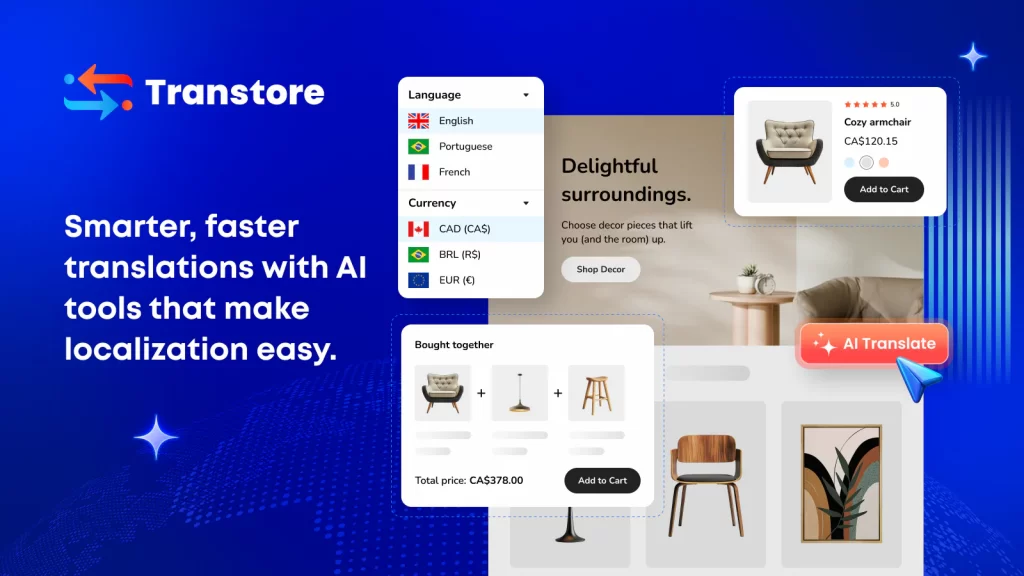
Transtore is a Shopify translation app focused on AI powered localization rather than translation alone. It helps merchants translate store content, convert currencies, and automatically redirect customers based on location, all within a single app. Transtore is designed for stores aiming to provide a localized shopping experience with minimal setup.
Language support and key features:
- Supports multiple languages with AI powered translation
- Automatic translation with manual editing and bulk actions
- Multilingual SEO with translated meta tags and URLs
- Geolocation based redirects by country or language
Pros and cons:
| Pros | Cons |
| All in one translation and localization tool | Fewer AI engine options than some competitors |
| Built in currency and geolocation features | Less granular translation control for advanced users |
| Easy setup and Shopify native integration | Smaller ecosystem compared to larger apps |
| Good value for combined features |
When this app is a good fit and when it is not:
Transtore is a good fit if you want a single app to handle translation, currency conversion, and geolocation, but it may not be ideal if you need advanced AI customization, deep SEO control, or highly specialized translation workflows.
9. Langify
Pricing: Free plan available, paid plans start around $17.50/month and scale based on translation volume and features.
Best for: Shopify stores that want a mature, reliable translation solution with strong manual control and proven long term stability.
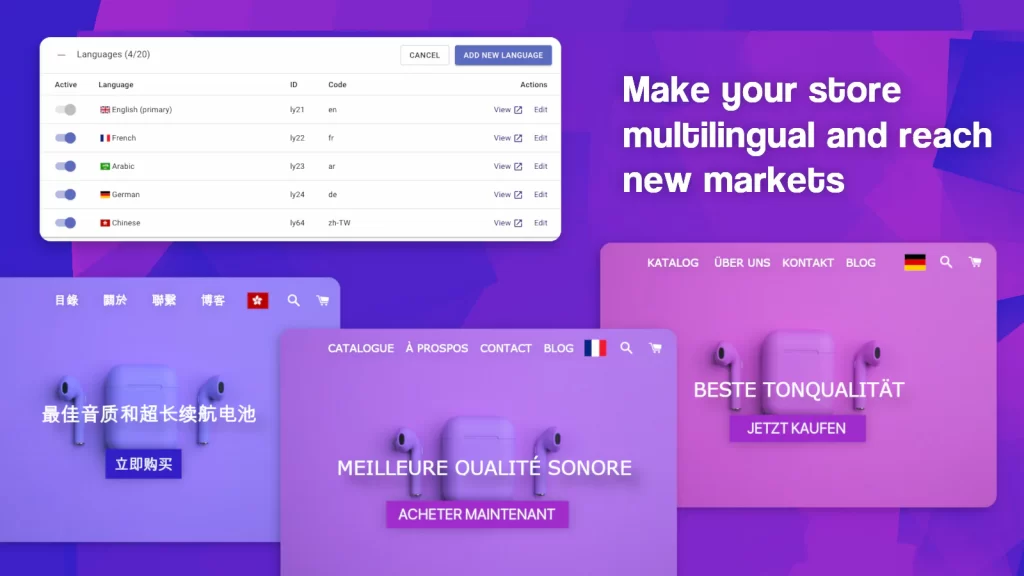
Langify is one of the longest running Shopify translation apps, trusted by thousands of merchants over many years. It focuses on giving store owners full control over translations, combining manual editing with machine translation and localization features. Langify is often chosen by merchants who prioritize accuracy, consistency, and hands on management over heavy AI automation.
Language support and key features:
- Supports multiple languages with manual and machine translation
- SEO friendly translated URLs and subfolders
- Customizable language switcher
- Optional currency conversion and localization tools
Pros and cons:
| Pros | Cons |
| Very stable and well established app | Less AI automation than newer tools |
| Strong manual translation control | Setup can feel dated compared to modern apps |
| Good multilingual SEO fundamentals | AI features not as advanced as Transcy or T Lab |
| Large user base and proven reliability | Higher cost than basic solutions |
When this app is a good fit and when it is not:
Langify is a good fit if you want a proven translation app with full manual control and solid SEO foundations, but it may not be the best choice if you are looking for heavy AI automation, instant setup, or the lowest possible cost.
10. Langwill – AI Language Translate
Pricing: Free plan available, paid plans start around $9.99/month and scale based on word limits, languages, and advanced localization features.
Best for: Shopify stores that want a balance between AI powered translation, multilingual SEO, and built in currency and geolocation features at a competitive price.
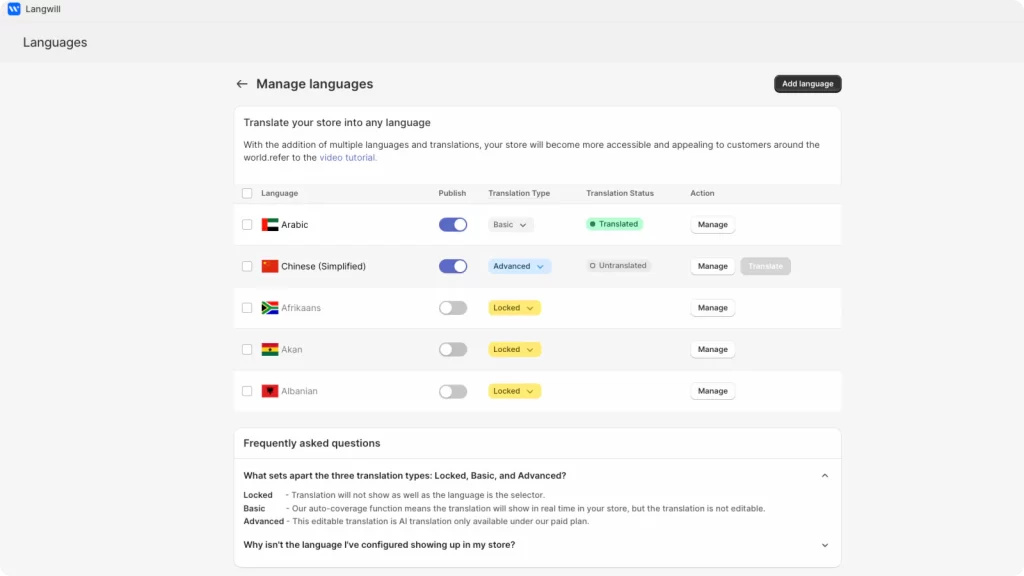
Langwill is an AI driven Shopify translation app designed to help merchants expand globally with minimal effort. It combines automated language translation, currency conversion, and geolocation redirection into a single solution. Langwill positions itself as a practical alternative to heavier tools like Weglot while offering more automation than basic translation apps.
Language support and key features:
- Supports over 130 languages
- AI translation using engines such as GPT 4, DeepL, and Google
- Automatic translation and auto sync for new content
- Geolocation based language and currency switching
Pros and cons:
| Pros | Cons |
| Strong feature set for price | Less established than Langify or Weglot |
| Combines translation, SEO, and currency in one app | AI accuracy may still need manual review |
| Good automation for growing stores | Fewer enterprise level controls |
| Easy setup and modern interface |
When this app is a good fit and when it is not:
Langwill is a good fit if you want an all-in-one localization solution with AI translation and currency support at a reasonable price, but it may not be ideal if you need enterprise grade SEO automation or extremely precise manual translation workflows.
The best approach is to match the app to your current needs, then reassess as your store grows. Starting with the right foundation can save time, reduce translation issues, and make global expansion far easier in the long run.
How to Choose the Best Translation App for Your Shopify Store
With so many translation apps available, the best translation app for Shopify depends on how your store operates today and how you plan to grow internationally. Instead of focusing on one feature, it is better to evaluate each app across a few core criteria that directly impact translation quality, SEO, and scalability.
- Translation engine quality: Check which translation engines the app uses, such as Google, DeepL, or AI models like ChatGPT, and how well they handle context and industry-specific terms.
- Translation scope and compatibility: Make sure the app can translate all important content types, including products, collections, pages, blogs, checkout, metafields, and third-party apps.
- Manual control and brand consistency: Look for glossary rules, bulk editing, and manual overrides to keep your brand voice consistent across languages.
- Multilingual SEO and technical setup: Prioritize apps that support translated meta tags, URLs, proper indexing, and Shopify Markets integration for search visibility.
- Currency and geolocation features: If you sell internationally, features like automatic currency conversion and location-based language switching can improve the customer experience.
- Pricing and scalability: Review how pricing scales with more languages, products, or traffic to avoid unexpected costs as your store grows.
These criteria make it easier to choose a translation app that works for your store now and continues to support global growth over time.
How to Add Multiple Languages to a Shopify Store
Shopify makes it possible to sell in multiple languages from a single store, but the setup works best when you understand what Shopify handles natively and where translation apps are needed.
Below is a clear, practical overview of how to add and manage multiple languages without overcomplicating your store.
Step 1: Check Shopify language requirements
Shopify allows you to sell in up to 20 languages on all plans except Shopify Lite. Each language creates its own URL, which helps customers and search engines access the correct translated version of your store.
Step 2: Install a Shopify multi language app
Before adding a language, decide how you will manage translations:
- Use Shopify Translate & Adapt for basic translations
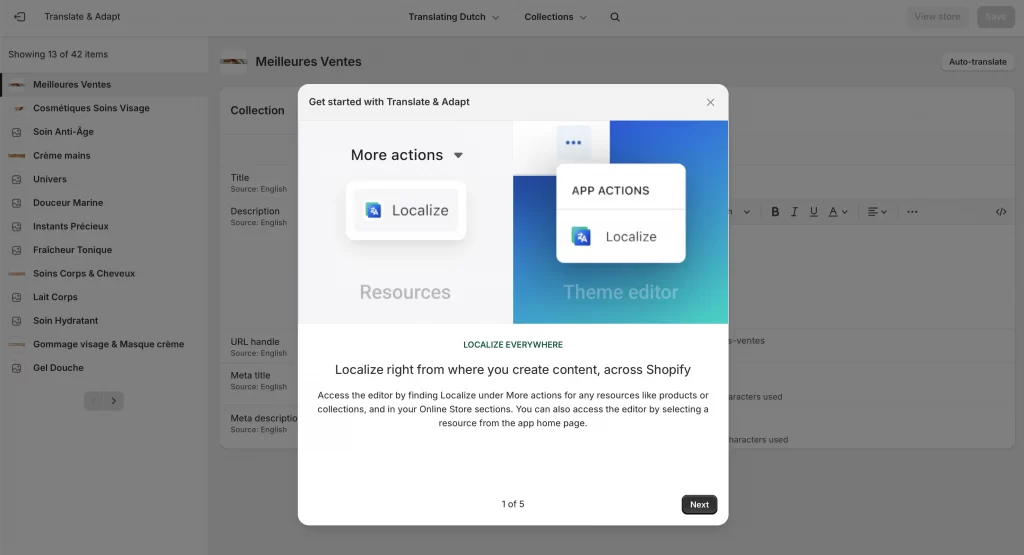
- Install a third-party translation app from our list above or from the Shopify App Store
Step 3: Add a new language in Shopify
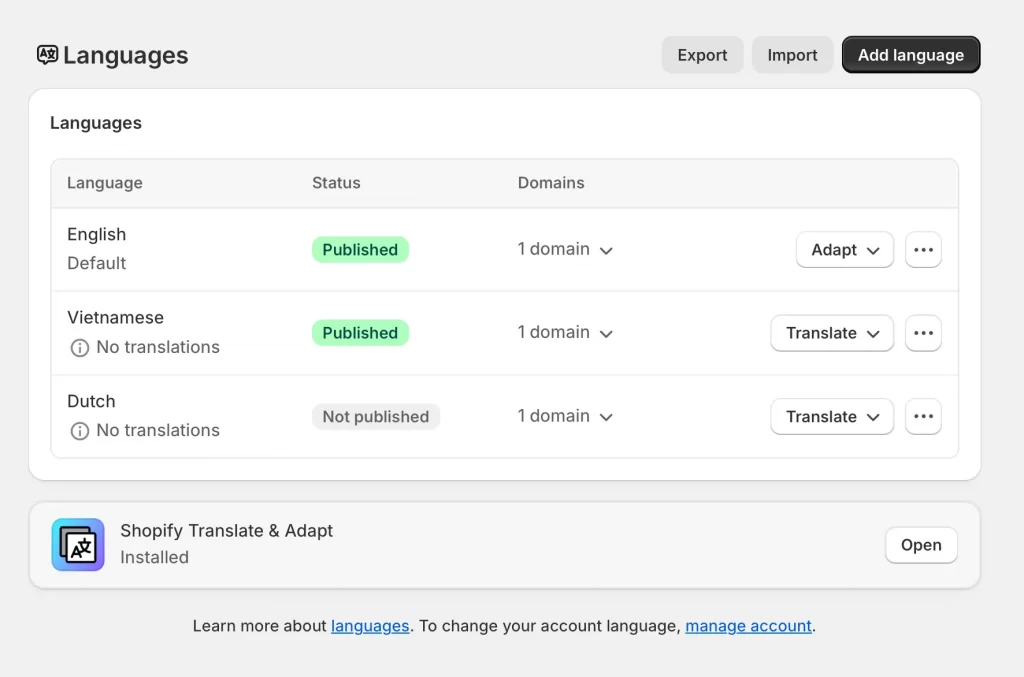
In your Shopify admin, go to Settings > Languages, click Add language, select the language you want to add, and choose which markets it applies to if you use Shopify Markets.
Step 4: Translate your store through the app
Open your translation app and follow its setup flow. The app will guide you through translating your store content, including products, collections, pages, policies, navigation, and checkout where supported.
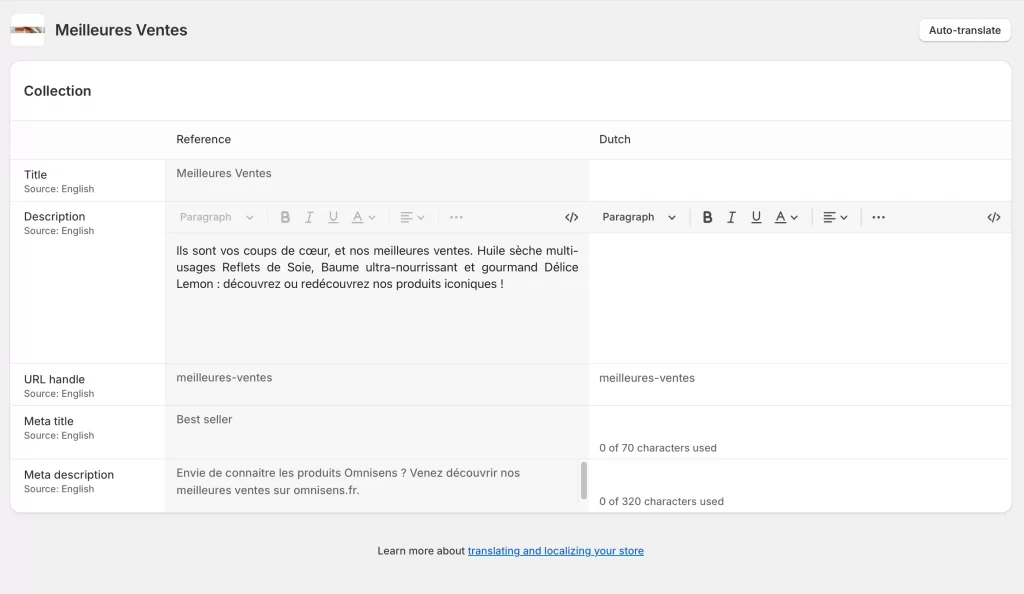
Most apps allow automatic translation, manual editing, or a combination of both, and many support bulk translation to save time.
Step 5: Review and adjust translations
Before publishing, review the translated content inside the app. You can use manual edits or glossary tools to refine product names, brand terms, and key messaging to ensure accuracy and consistency across languages.
Step 6: Publish the language
Once translations are ready, return to Settings > Languages and publish the language. The translation app will automatically sync your translated content to the correct language URLs, making the new language live on your store.
Translation apps simplify multilingual management by automating updates, offering visual editors, and keeping translations in sync as you add or update products. Many apps also include translation memory and consistency tools, which become increasingly valuable as your catalog grows.
Note: Not all third-party apps in your Shopify store support multiple languages by default. While the translation app manages your store content, each third-party app controls its own interface translations, so you may need to contact those app developers to confirm multilingual compatibility.
Bonus: How AI Is Transforming Shopify Translation
AI has significantly changed how Shopify stores handle multilingual content, making translation faster, more accurate, and easier to manage at scale. Instead of relying only on basic machine translation or manual workflows, modern translation apps now use advanced AI models to understand context, product terminology, and natural language patterns.
AI powered translation allows stores to automatically translate new products, collections, and content as soon as they are added, without repeating manual steps. Many apps also combine multiple AI engines, such as large language models and neural translation systems, giving merchants flexibility to balance speed, accuracy, and cost depending on their needs.
Beyond translation itself, AI is improving consistency and localization. Features like glossary rules, translation memory, and context-aware editing help maintain brand voice across languages, while AI-driven automation reduces ongoing maintenance. As a result, Shopify merchants can expand into international markets faster, with fewer errors and far less manual effort than before.
Best Translation App for Shopify: FAQs
What is the best translation app for Shopify?
The best translation app for Shopify depends on your store size and goals. Shopify Translate & Adapt works well for basic needs, while apps like LangShop, Transcy, Weglot, or T Lab are better for stores that need advanced SEO, AI automation, or support for many languages.
How do I get translations on Shopify?
You can add translations by installing a translation app, adding a new language in Settings > Languages, and translating your content through the app. Shopify also supports CSV imports for bulk translations, but apps are usually easier to manage long term.
What is the Google Translate app for Shopify?
GTranslate is the most common Shopify app built on Google Translate. It allows stores to translate content into many languages quickly, with multilingual SEO features available on paid plans.
Do Shopify translation apps affect SEO rankings?
Yes, they can affect SEO both positively and negatively. Apps that create indexable translated URLs, translate meta tags, and integrate with Shopify Markets can improve international SEO, while basic auto translation without proper indexing may have little impact.
Can Shopify translation apps translate third-party apps like PageFly or GemPages?
Some translation apps can translate third-party apps, but support varies. Advanced apps like LangShop, Transcy, T Lab, or Locales.ai often support PageFly and GemPages, while others may require confirmation from the app developer.
Final Words: Which Shopify Translation App Is Best for You?
Actually, there is no single best translation app for Shopify store, because the right choice depends on your store size, technical setup, and international goals. If you are just getting started or testing a new market, a simple and free option like Shopify Translate & Adapt may be enough.
As your store grows, apps with stronger SEO controls, broader language support, and better automation become more valuable:
- SEO focused and complex stores: LangShop and Weglot offer deeper control over multilingual SEO, URLs, and scalable translation workflows.
- AI-driven automation and localization: Transcy, T Lab, and Langwill combine AI translation with features like currency conversion and geolocation to reduce manual work.
- Stores using many third-party apps or dynamic content: Locales.ai is often a better fit due to its strong compatibility with page builders and app-generated content.
The best approach is to start with what fits your current needs, then reassess as your international traffic and product catalog expand.
And now, let’s build what’s next!
At LitOS, we help brands grow smarter on Shopify with better technology, practical strategy, and hands-on support that delivers real results. From migration to long-term growth, we make the process seamless and scalable.
Contact Us
