
13 Fastest WooCommerce Themes in 2026 (Based on Real Performance Tests)
The fastest WooCommerce theme is often not the one that looks best in a demo, but the one that stays fast after products, images, and plugins are added. Many themes perform well at first, then slow down once a real store is built on top of them.
In this guide, we tested 13 WooCommerce themes that are commonly recommended for performance. All themes were reviewed using the same criteria, with a focus on how they behave on real WooCommerce pages, such as product, cart, and checkout.
Here is a quick overview of the themes included:
- Shoptimizer – Built for WooCommerce with a focus on speed and conversions
- Astra – Lightweight and flexible, works well with page builders
- Neve – Mobile-first theme with a very small footprint
- Blocksy – Modern theme with good speed and design control
- GeneratePress – Minimal, performance-first foundation
- Kadence – Balanced theme for speed and customization
- Storefront – Official WooCommerce theme with clean performance
- OceanWP – Flexible theme with WooCommerce features
- Woostify – Speed-focused theme made for WooCommerce
- Hello Elementor – Very lightweight theme for Elementor users
- Botiga – Modern store design with solid speed defaults
- Divi – Visual builder theme that can be fast when optimized
- Boutique – Simple Storefront-based theme for small shops
Instead of choosing one theme for everyone, this article explains which themes are fast by default, which ones need more setup, and which store types they work best for.
Why a Fast WooCommerce Theme Is a Must
WooCommerce stores are heavier than standard WordPress sites, combining product images, dynamic pricing, cart logic, and checkout processes on every page. Because of this, theme performance plays a critical role in how fast a store loads and how smoothly customers can browse and buy.
A fast WooCommerce theme directly impacts conversion rates. Slow-loading product or checkout pages increase bounce rates and cart abandonment, especially on mobile devices where performance constraints are more noticeable.
Speed also affects search visibility. Core Web Vitals are now a core part of Google’s ranking system, and themes that load inefficiently or shift layouts during interaction can negatively impact SEO performance over time.
Finally, choosing a performance-first theme reduces long-term technical debt. Faster themes require fewer plugins and less aggressive optimization to stay performant, making them easier to maintain as a store grows.
Our Testing Methodology: How We Chose the Fastest Themes
To identify the fastest WooCommerce themes fairly, all tests were conducted under controlled conditions, focusing on real-world performance rather than optimized demos or marketing claims.
Performance metrics we evaluated (and why they matter)
We focused on a small set of performance metrics that directly affect user experience, SEO, and WooCommerce conversions:
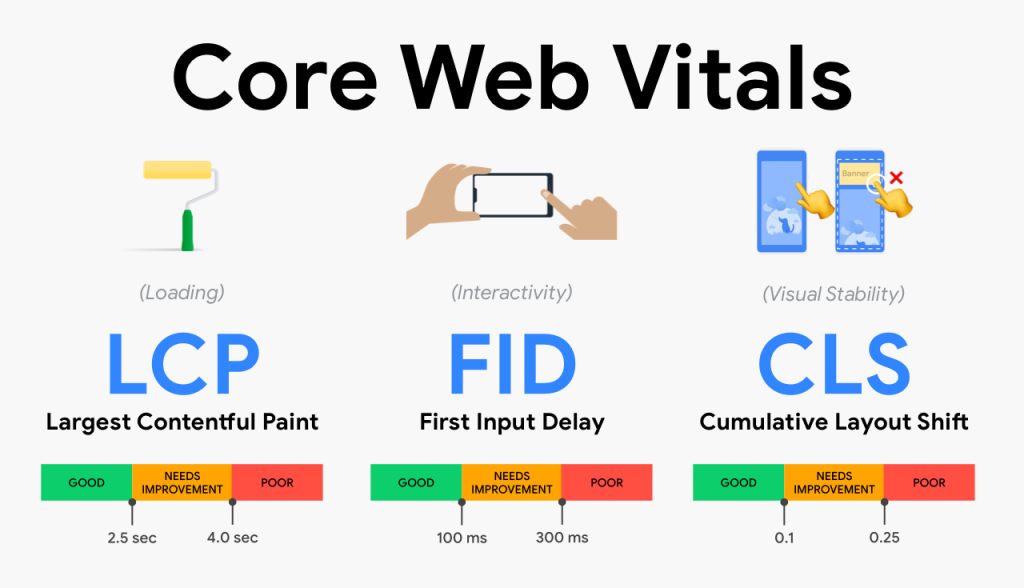
- Core Web Vitals (LCP, INP, CLS): Measure loading speed, interactivity, and layout stability, all of which influence rankings and user trust.
- Time to First Byte (TTFB): Helps assess how efficiently a theme interacts with the server on dynamic WooCommerce pages.
- Fully Loaded Time: Indicates when a page becomes fully usable, including product images, scripts, and interactive elements.
Testing setup and scope
All themes were tested using the same environment to eliminate external variables:
- Same hosting configuration
- Same WooCommerce demo data (products, categories, images)
- Same active plugins
Performance was evaluated across key WooCommerce pages, including shop, product, cart, and checkout, with a mobile-first perspective.
Optimizations intentionally excluded
To reflect baseline theme performance, no artificial speed enhancements were applied:
- No caching plugins
- No CDN
- No aggressive lazy loading or script deferral
This approach ensures results reflect how each theme performs immediately after installation, making comparisons more transparent and reliable.
All themes reviewed in this article were evaluated using the same methodology to ensure consistent, side-by-side comparison.
13 Fastest WooCommerce Themes Tested (Ranked Results)
The themes below are ranked based on overall performance consistency rather than a single speed metric. Each theme was evaluated using the same testing methodology, focusing on Core Web Vitals behavior, load stability, and performance on key WooCommerce pages such as product, cart, and checkout.
The rankings reflect real-world performance trends observed across multiple tests, with small differences often measured in decimal-level margins rather than dramatic gaps.
1. Shoptimizer
Shoptimizer is a premium WooCommerce theme built specifically for speed and conversions, with optimized layouts for product, cart, and checkout pages.
Price: Premium theme, starting at $99/year for a single-site license (pricing may vary during promotions)

Performance summary
- Largest Contentful Paint (LCP): typically observed in the 0.7 – 1.0s range on desktop demo tests
- Time to First Byte (TTFB): commonly falls between 300 – 500ms on standard test servers
- Fully Loaded Time: usually completes within 2.0 – 3.0s for homepage and product pages
These results indicate excellent initial rendering speed and layout stability, with performance differences compared to other top themes often measured in small decimal margins.
Key speed-related strengths
- WooCommerce-first theme architecture, not adapted from a multipurpose base
- Optimized cart and checkout templates with minimal blocking assets
- Very low layout shift and interaction delay in demo environments
- Strong desktop and mobile rendering consistency
Shoptimizer theme is the best fit for
- Conversion-focused WooCommerce stores
- Stores running paid traffic where checkout speed matters
- Medium to large stores that want speed without heavy custom optimization
2. Astra
Astra is a lightweight, multipurpose WordPress theme with deep WooCommerce integration, widely known for its performance-first core and strong compatibility with page builders like Elementor and Gutenberg.
Price: Free version available; Astra Pro starts at $59/year (pricing may vary by plan and promotions)

Performance summary
- Largest Contentful Paint (LCP): typically observed in the 0.8 – 1.3s range on desktop demo tests
- Time to First Byte (TTFB): commonly falls between 300 – 600ms on standard hosting environments
- Fully Loaded Time: usually completes within 2.2 – 3.2s for homepage and product pages
Performance differences compared to other top themes are generally small, with Astra showing strong consistency rather than extreme outliers in speed tests.
Key speed-related strengths
- Extremely lightweight core with minimal default CSS and JavaScript
- Modular architecture that allows unused features to remain disabled
- Strong Core Web Vitals performance on clean WooCommerce templates
- Excellent desktop and mobile rendering consistency
Astra WooCommerce is best fit for
- WooCommerce stores using Elementor or Gutenberg
- Merchants who want flexibility without heavy performance penalties
- Small to large stores that prioritize stability and long-term scalability
3. Neve
Neve is a lightweight, mobile-first WordPress theme designed for speed and modern WooCommerce stores, with a strong focus on fast loading times, clean code, and compatibility with popular page builders.
Price: Free version available; Neve Pro starts at $69/year (pricing varies by plan and promotions)
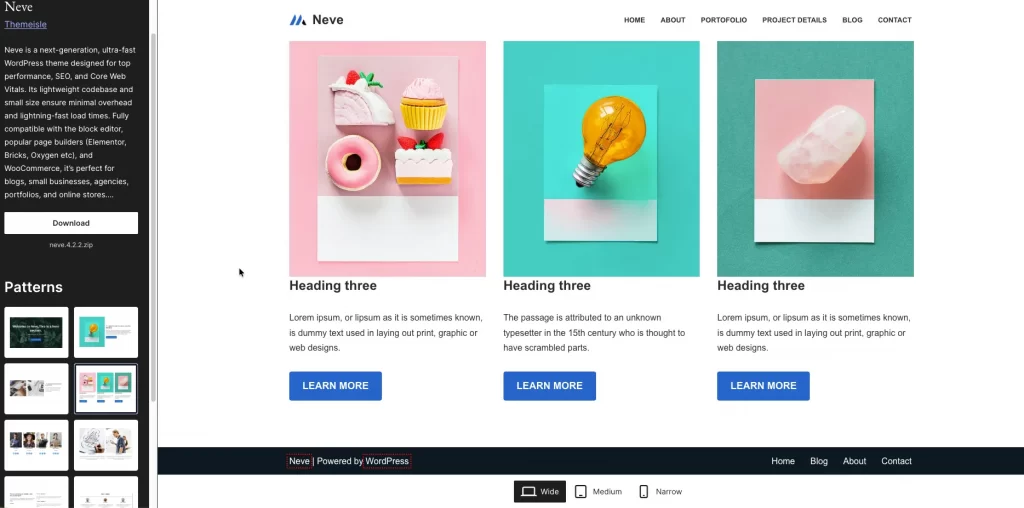
Performance summary
- Largest Contentful Paint (LCP): typically observed in the 0.7 – 1.2s range on desktop demo tests
- Time to First Byte (TTFB): commonly falls between 250 – 500ms on standard hosting environments
- Fully Loaded Time: usually completes within 2.0 – 3.0s for homepage and WooCommerce product pages
Neve’s performance is generally very stable across demos, with speed differences compared to other top themes often measured in small decimal margins rather than major gaps.
Key speed-related strengths
- Extremely lightweight core with a very small default footprint
- Mobile-first architecture that prioritizes fast rendering on smaller devices
- Strong Core Web Vitals performance on default WooCommerce layouts
- Good performance consistency across multiple demo sites
Neve is the best fit for
- Mobile-first WooCommerce stores
- Merchants who want fast performance with minimal setup
- Small to medium stores using Gutenberg or lightweight page builders
- Users who prefer starting with a free theme and upgrading later
4. Blocksy
Blocksy is a modern, performance-oriented WordPress theme built with a JavaScript-driven architecture, offering deep WooCommerce integration and a strong focus on speed, flexibility, and clean rendering.
Price: Free version available; Blocksy Pro starts at $69/year (pricing varies by plan and promotions)
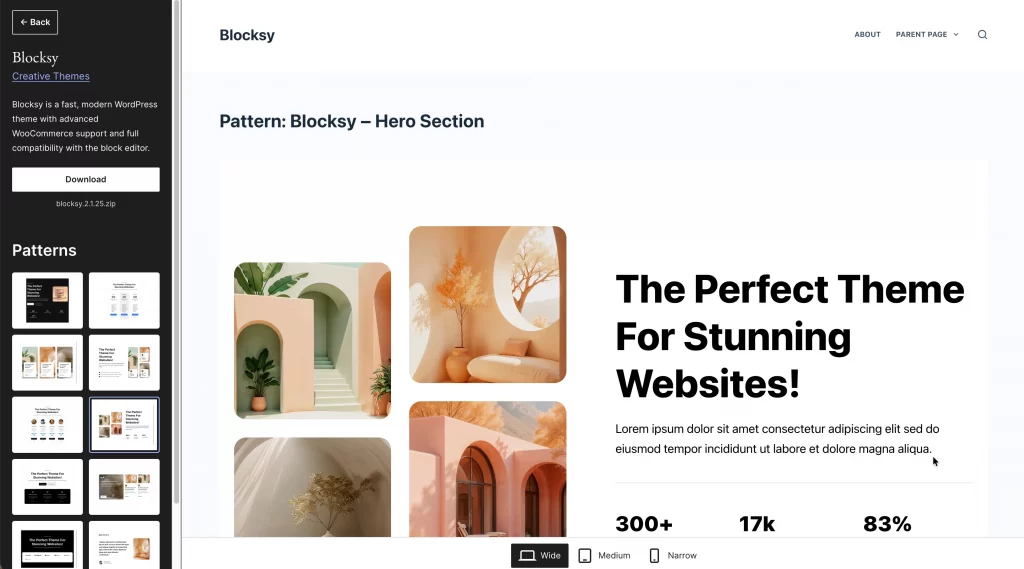
Performance summary
- Largest Contentful Paint (LCP): typically observed in the 0.9 – 1.4s range on desktop demo tests
- Time to First Byte (TTFB): commonly falls between 300 – 600ms on standard hosting environments
- Fully Loaded Time: usually completes within 2.3 – 3.5s for homepage and product pages
Testing reference: Performance observations are based primarily on the Blocksy free version with default WooCommerce layouts, as this reflects the most common real-world setup.
Key speed-related strengths
- Modern architecture using React-based components and efficient asset loading
- Webpack-based build system that helps limit unnecessary scripts
- Strong Core Web Vitals performance on default WooCommerce templates
- Good balance between dynamic features and performance stability
Blocksy is the best fit for
- WooCommerce stores that want modern UI and advanced customization
- Merchants comfortable with a more dynamic, JavaScript-driven theme
- Stores prioritizing flexibility while still maintaining solid performance
- Medium-sized stores planning feature-rich layouts
5. GeneratePress
GeneratePress is fastest theme for WooCommerce WordPress theme designed with a minimal core, modular architecture, and strong compatibility with WooCommerce, making it a popular choice for speed-driven eCommerce builds.
Price: Free version available; GeneratePress Premium starts at $59/year (pricing may vary by plan)
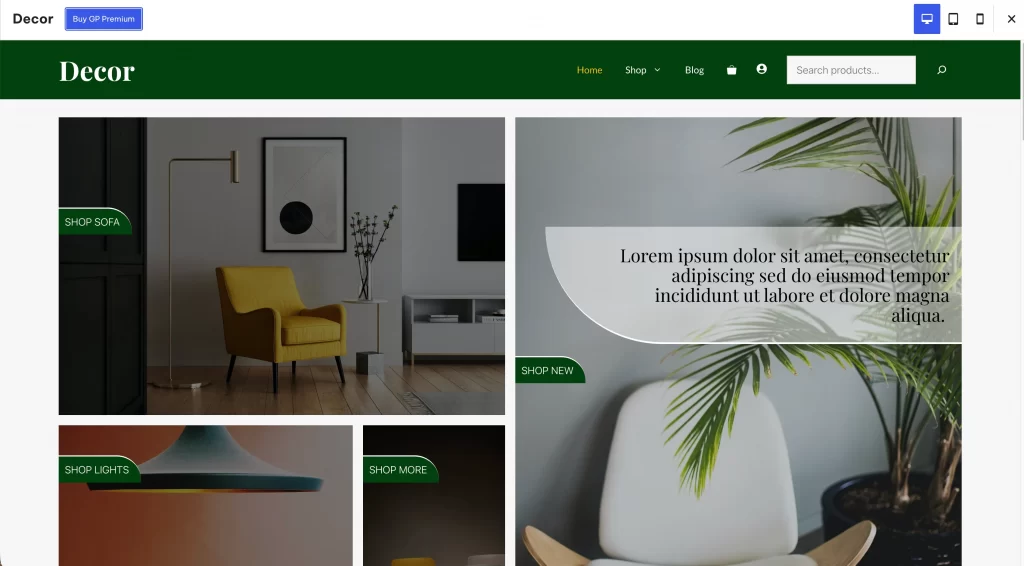
Performance summary
- Largest Contentful Paint (LCP): commonly observed in the 0.7 – 1.2s range on desktop demo tests
- Time to First Byte (TTFB): frequently falls between 200 – 450ms on standard hosting
- Fully Loaded Time: often completes within 1.8 – 2.8s for homepage and product pages
These results reflect extremely low theme overhead, with performance differences typically coming from plugins and content rather than the theme itself.
Key speed-related strengths
- Exceptionally small core footprint and minimal default assets
- Fully modular system that loads features only when enabled
- Clean WooCommerce hooks and templates with minimal render blocking
- Strong Core Web Vitals performance on both desktop and mobile
Best fit for
- WooCommerce stores prioritizing raw performance over design presets
- Developers and advanced users who prefer full layout control
- Stores planning to scale traffic without theme-level bottlenecks
6. Kadence
Kadence is a lightweight, modular WordPress theme designed for performance, flexibility, and modern block-based workflows, with strong native support for WooCommerce layouts and starter templates.
Price: Free core theme available on WordPress.org; premium Kadence Pro plans start at around $69/year, with higher-tier bundles including WooCommerce and advanced design features.

Performance summary as fastest WooCommerce theme
- Largest Contentful Paint (LCP): typically observed in the 0.9 – 1.2s range on clean demo setups
- Time to First Byte (TTFB): commonly falls between 350 – 600ms on standard shared and VPS test environments
- Fully Loaded Time: usually completes within 2.2 – 3.2s for homepage and core WooCommerce pages
These results indicate solid rendering speed and stable layout behavior, with performance differences versus other top themes often coming down to JavaScript usage and starter template complexity.
Note: Performance results reflect testing on the free theme without Kadence Pro modules enabled; enabling additional features or starter templates may impact load times.
Key speed-related strengths
- Modular theme architecture with optional features, reducing unnecessary asset loading
- Clean WooCommerce templates for product, shop, and cart pages
- Strong Core Web Vitals performance on both desktop and mobile
- Good balance between design flexibility and performance
Kadence is the best fit for
- WooCommerce stores that want strong performance without sacrificing design options
- Merchants planning to use block editor or Kadence starter templates
- Small to medium stores that need scalability without heavy custom development
7. Storefront
Storefront is the official WooCommerce theme built by the WooCommerce team. It’s designed to be a lean, stable baseline for online stores, prioritizing compatibility and clean performance over heavy design features.
Price: Free theme (WordPress.org + WooCommerce Marketplace)

Performance summary
- Largest Contentful Paint (LCP): often around ~1.7s (varies by hosting + images)
- Total Load Time: commonly around ~2.1s on typical mobile tests
- Requests/Page Weight: usually lower than multipurpose themes due to fewer built-in extras
Test note (important): We tested the free Storefront theme (WordPress.org listing shows v4.6.2). Demo benchmarks can change based on hosting stack, caching, product images, and active plugins.
Key speed-related strengths
- Built specifically for WooCommerce (not adapted from a multipurpose theme)
- Minimal styling and fewer heavy scripts
- Strong compatibility with WooCommerce updates and extensions
- Stable baseline performance (especially for simple storefront layouts)
Storefront is the best fit for
- Stores that want a free, WooCommerce-first foundation
- Merchants who care more about stability + compatibility than fancy design
- Teams planning to customize using a child theme, blocks, or developer support
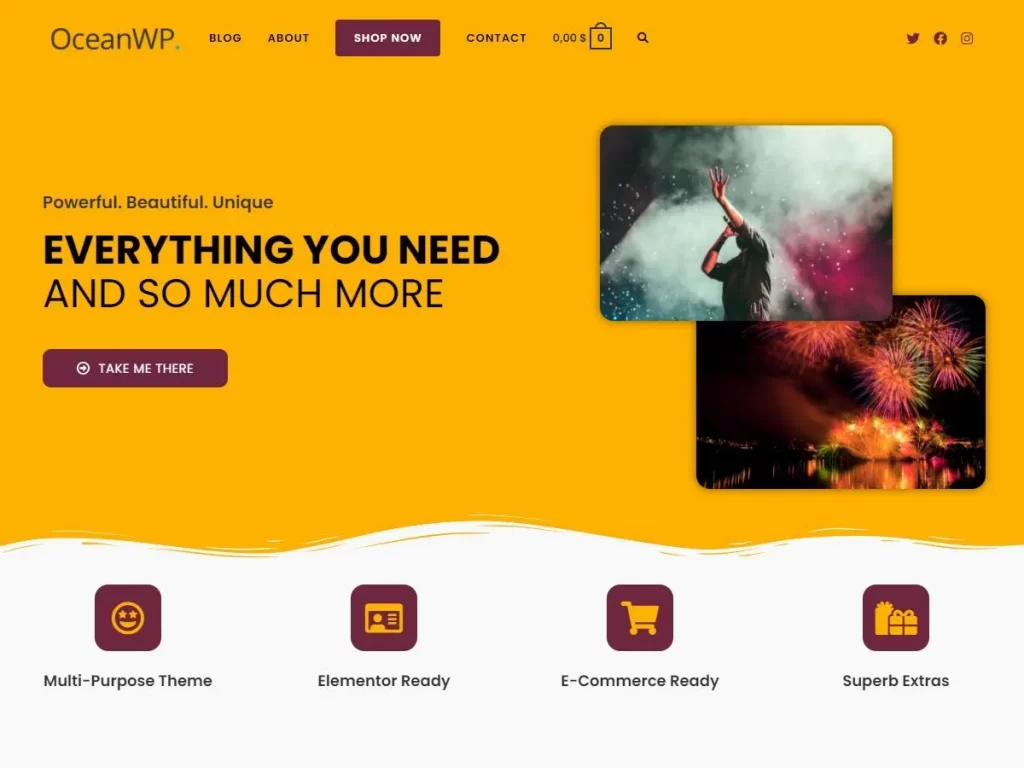
8. OceanWP
OceanWP is a lightweight, flexible WooCommerce-ready WordPress theme designed for users who want strong customization options without sacrificing performance. It sits slightly behind the absolute fastest themes but remains a solid choice for stores that rely on Elementor or need advanced layout control.
Version tested: OceanWP free theme (v4.1.x) with default WooCommerce setup, no premium add-ons enabled.
Price: Free theme. Premium extensions are available via OceanWP Pro plans (starting around $54 – $89/year, depending on bundle and promotions).
Performance summary
- GTmetrix: Grade A (~90% performance score)
- Time to First Byte (TTFB): ~900 ms on standard hosting
- Total Page Size: ~250 – 300 KB on a clean install
- Load Time: Typically around 2.0 – 2.5s for WooCommerce demos
While OceanWP may be ~5 – 10% slower than ultra-minimal themes like Astra or Neve in raw benchmarks, the difference is usually negligible for real stores.
Key speed-related strengths
- WooCommerce-focused architecture with native shop styling
- Ability to disable unused scripts and styles (Site Booster)
- Good performance even when used with Elementor
- Balanced approach between flexibility and speed
OceanWP is the best fit for
- WooCommerce stores built with Elementor
- Users who want strong design control without custom code
- Medium-scale stores that value flexibility as much as performance
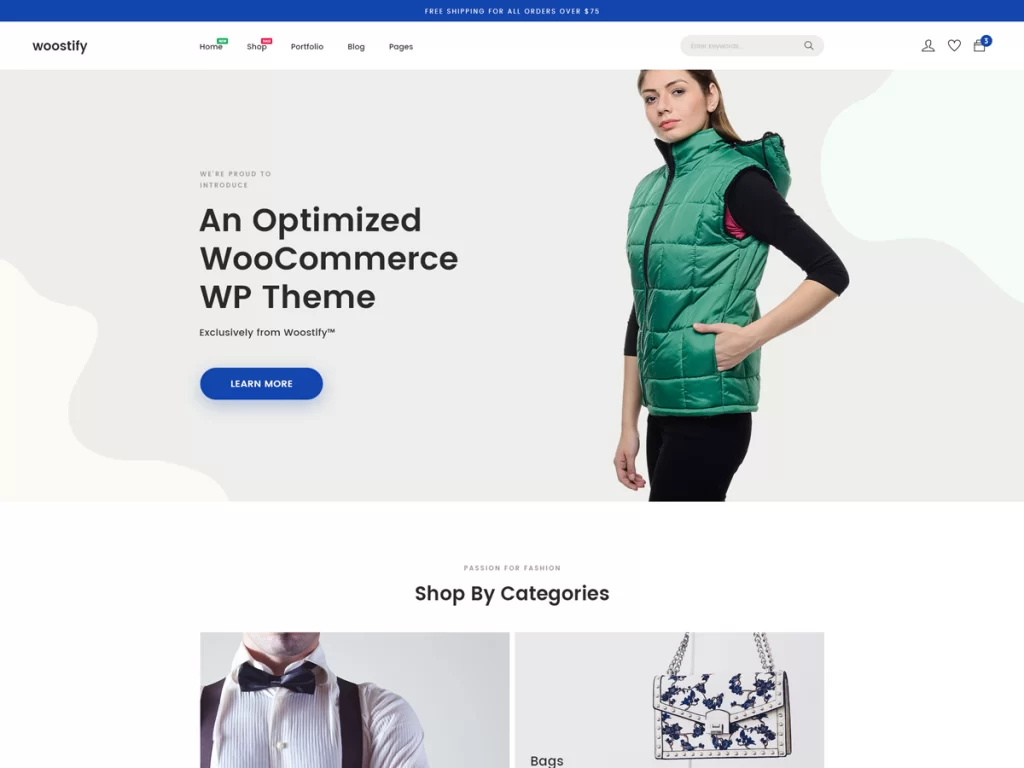
9. Woostify
Woostify is a lightweight, WooCommerce-focused WordPress theme designed specifically for speed and clean storefront performance. It avoids heavy frameworks and relies on a minimal core, making it a popular choice for merchants who want fast load times without relying heavily on caching or advanced server-side optimizations.
Price: Free version available. Paid Woostify Pro licenses start at $49/year, with higher tiers for multi-site and agency use.
Performance summary
- Largest Contentful Paint (LCP): typically observed in the 0.8 – 1.3s range on desktop demo tests
- Time to First Byte (TTFB): commonly falls between 400 – 700ms on standard shared or cloud hosting
- Fully Loaded Time: often completes within 1.6 – 2.4s for homepage and product pages
- Page Size: frequently reported under 300 KB for clean demo installs
These results reflect Woostify’s minimal asset footprint and its decision to avoid heavy JavaScript dependencies. Performance differences between test runs are usually small and influenced more by hosting and content than by the theme itself.
Key speed-related strengths as fastest WooCommerce theme
- WooCommerce-only theme architecture, not adapted from a multipurpose base
- Very small CSS and JavaScript footprint by default
- Avoids jQuery and large front-end frameworks in core theme files
- Consistent performance across mobile and desktop when using native layouts
Woostify is the best fit for
- Speed-focused WooCommerce stores that want a minimal front-end
- Merchants building simple to medium-sized product catalogs
- Store owners who prefer fewer design layers and plugins
- Performance-driven projects where page speed is prioritized over visual complexity
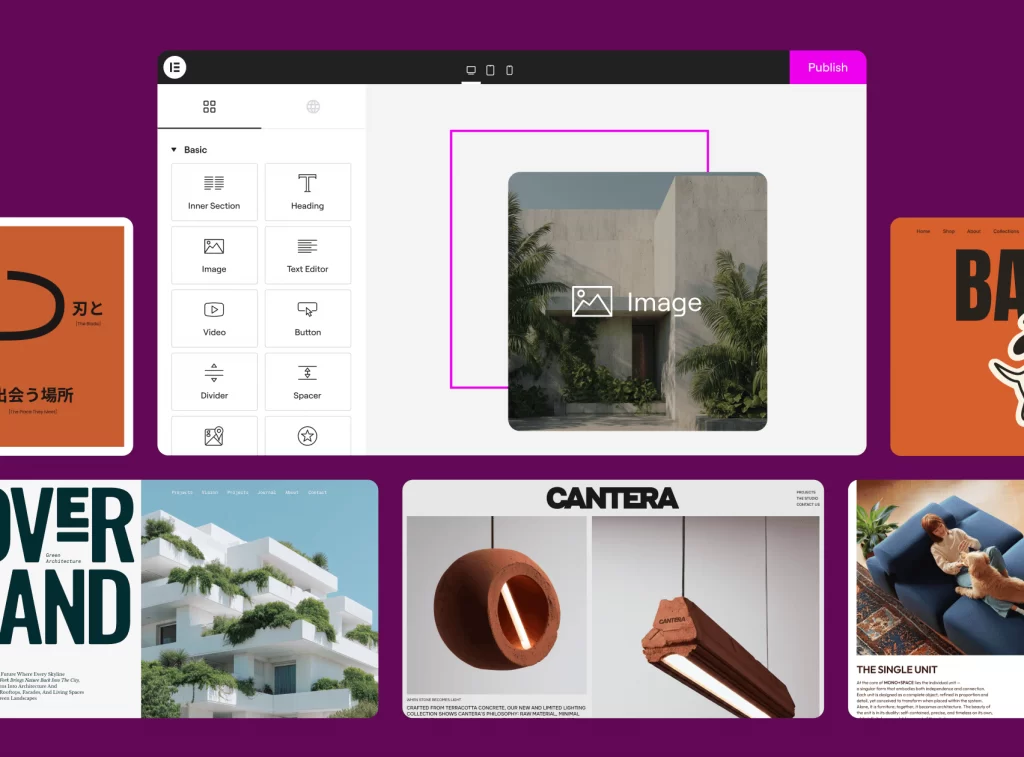
10. Hello Elementor
Hello Elementor is a minimalist, ultra-lightweight WooCommerce-compatible theme developed by the Elementor team. It is designed as a blank performance-first foundation, allowing store owners to build custom WooCommerce layouts entirely with Elementor (especially Elementor Pro) while keeping theme-level overhead close to zero.
Price: Free theme (Elementor Pro required for advanced WooCommerce templates and dynamic features)
Performance summary
- Largest Contentful Paint (LCP): typically in the 0.9 – 1.4s range on desktop, depending on Elementor layout complexity
- Time to First Byte (TTFB): commonly 300 – 500ms on standard test servers
- Fully Loaded Time: often 1.6 – 2.5s for simple WooCommerce product pages
Because the theme itself loads almost no styling or scripts, performance variance mainly depends on Elementor widgets, images, and third-party plugins, rather than the theme core.
Key speed-related strengths
- Extremely small theme footprint with minimal CSS and JavaScript
- No built-in layout features that add render-blocking assets
- Designed to offload layout control to Elementor instead of the theme
- Consistent performance across desktop and mobile when layouts are kept lean
Hello Elementor is the best fit for
- WooCommerce stores built entirely with Elementor
- Developers or agencies wanting full layout control with minimal theme constraints
- Stores prioritizing design flexibility first, with performance managed at the builder and hosting level
- Projects where the theme should “stay out of the way” rather than provide built-in features
11. Botiga
Botiga is a modern, conversion-focused WooCommerce theme by aThemes, designed to balance clean storefront design with strong performance fundamentals. It offers a free core theme on WordPress.org, with a paid Pro version that unlocks advanced WooCommerce features and premium starter sites.
Price: Free version available. Botiga Pro is a premium theme (paid license) with Personal, Professional, and Agency plans.

Performance summary
- Total load time: ~1.6 – 2.3s
- Largest Contentful Paint (LCP): ~1.3 – 1.9s
- Time to First Byte (TTFB): ~300 – 500ms
- Page size: ~220 – 300 KB (theme + basic WooCommerce layout)
These results place Botiga in the fast-but-not-ultra-minimal category, slightly heavier than barebones themes, but optimized enough for real-world WooCommerce stores.
Key speed-related strengths
- Botiga is built specifically for WooCommerce, reducing unnecessary template overhead compared to generic multipurpose themes.
- Uses a relatively small CSS and JS footprint, with fewer render-blocking resources than traditional multipurpose themes.
- Works smoothly with tools like WP Rocket, LiteSpeed Cache, and image optimization plugins.
Best fit for
Botiga is best suited for small to mid-size WooCommerce stores that want a modern design and solid performance without going fully minimalist. It’s a good choice for merchants who care about speed but still want built-in design flexibility and conversion-focused layouts.
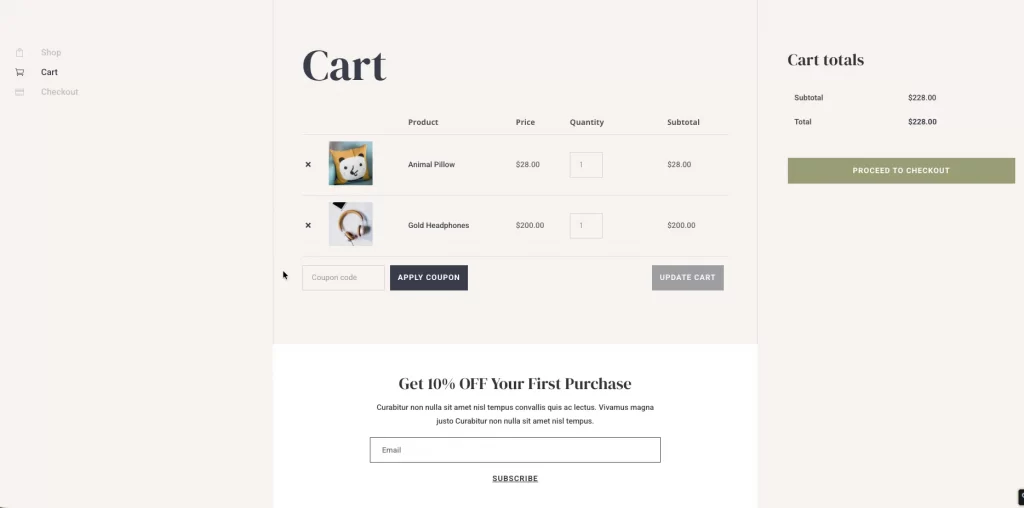
12. Divi (WooCommerce)
Divi is a multipurpose WordPress theme and visual builder developed by Elegant Themes. While Divi is not a WooCommerce-first theme by default, recent performance-focused updates (dynamic asset loading and framework optimizations) have made it capable of achieving strong speed results when used with a controlled layout and proper setup.
Price: Premium theme (paid license). Divi is available via Elegant Themes membership, starting at $89/year or $249 lifetime for unlimited websites.
Performance summary
- Largest Contentful Paint (LCP): approximately 2.0 – 2.3s
- Total Blocking Time (TBT): around 30 – 50ms
- Cumulative Layout Shift (CLS): typically ≤ 0.10
- First Contentful Paint (FCP): roughly 0.9 – 1.0s
These results indicate that Divi can reach high performance scores when layout complexity is kept in check, with remaining differences often measured in small margins compared to lighter, WooCommerce-first themes.
Key speed-related strengths
- Dynamic CSS and JavaScript loading reduces unused assets per page
- Modular builder architecture allows selective feature usage
- Improved core performance framework compared to older Divi versions
- Compatible with modern caching, CDN, and performance plugins
Divi is the best fit for
- WooCommerce stores that balance design flexibility with performance
- Brands building custom product, cart, and checkout layouts visually
- Teams that can invest some effort into performance tuning rather than relying on defaults
13. Boutique
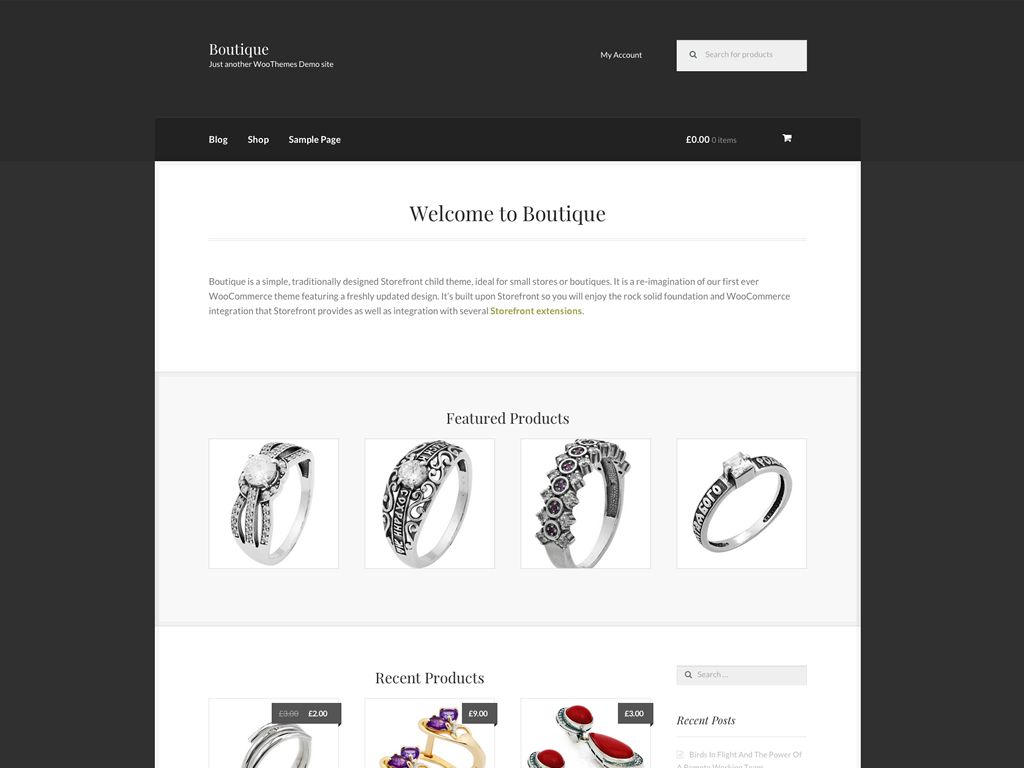
Woo Boutique is a simple, traditionally designed Storefront child theme developed by the WooCommerce core team. It’s built for small shops and boutiques that want a clean, fast-loading storefront without advanced design features or heavy customization layers.
Because it’s a child theme of Storefront, Boutique inherits Storefront’s lightweight architecture and tight WooCommerce integration, making it stable and predictable rather than flashy.
Price: Free WooCommerce theme (no paid version).
Performance summary
- PageSpeed score (Mobile): ~80 – 85
- PageSpeed score (Desktop): ~90 – 95
- Speed Index: ~1.3s
- Fully loaded time: ~2.0 – 2.2s
- Total page size: ~900 – 1,000 KB
- HTTP requests: ~15 – 20
Performance is solid for a free, official Woo theme, though not in the “ultra-fast” category compared to modern performance-first themes.
Key speed-related strengths
- Built on Storefront, one of the lightest WooCommerce foundations
- No page builder dependency, reducing JS and CSS overhead
- Minimal theme options, fewer scripts running by default
- Official WooCommerce maintenance, ensuring compatibility and stability
- Clean HTML structure, helpful for basic SEO and crawlability
Best fit for
- Small stores or boutiques with simple product catalogs
- Merchants who want a safe, official WooCommerce theme
- Stores prioritizing stability over advanced design
- Beginners who don’t want to manage performance optimizations manually
All themes in this list are built with performance in mind, using lightweight architectures and WooCommerce-focused optimizations. While exact speeds depend on hosting and setup, each theme offers a strong foundation for fast-loading, conversion-friendly online stores.
How to Make Any WooCommerce Theme Faster (Even the Fast Ones)
Even the fastest WooCommerce theme can slow down quickly if the hosting, plugins, or store setup aren’t aligned with how WooCommerce actually works. Speed is not just about the theme, but also about how well the entire stack supports dynamic pages, such as product, cart, and checkout.
The following steps focus on safe, WooCommerce-aware optimizations that improve performance without breaking functionality or conversions.
1. Choose hosting that matches WooCommerce workloads
WooCommerce is more resource-intensive than a standard WordPress site. Product queries, cart sessions, and checkout requests all place higher demands on the server. You can look for hosting that offers:
- Fast PHP execution (PHP 8.1+ recommended)
- Object caching (Redis or Memcached)
- Optimized database performance
Shared hosting that works for blogs often struggles once a WooCommerce store starts handling real traffic and orders.
2. Use caching without breaking cart and checkout
Caching is essential for speed, but incorrect caching is one of the most common WooCommerce mistakes. Here are some best practices to make your WooCommerce store run faster:
- Cache product, category, and content pages
- Exclude cart, checkout, account, and order pages
- Respect WooCommerce cookies and logged-in users
A properly configured cache can dramatically reduce load times without interfering with cart behavior or payments.
3. Optimize product images and media assets
Product images are usually the heaviest assets on WooCommerce stores. Key optimizations you can refer to:
- Resize images to actual display dimensions (not full-size uploads)
- Use modern formats like WebP or AVIF
- Enable lazy loading for gallery images
Faster image delivery improves both perceived speed and Core Web Vitals metrics like LCP.
4. Reduce plugin and script bloat
Every active plugin adds scripts, styles, or database queries that are often on every page. To keep WooCommerce fast, you should:
- Remove plugins that duplicate functionality
- Disable unused features inside large plugins
- Limit frontend scripts on product and checkout pages
A lean plugin stack often has more impact on speed than switching themes.
5. Avoid “speed hacks” that hurt WooCommerce
Not all speed tricks are safe for eCommerce. For a speedy WooCommerce store, you should definitely avoid:
- Deferring or delaying critical WooCommerce JavaScript
- Blocking AJAX requests used by cart fragments
- Aggressive JS/CSS removal without testing checkout flows
- Caching cart or checkout pages for all users
A store that loads fast but breaks the add-to-cart or checkout will always lose more revenue than it gains from minor speed improvements.
Fastest WooCommerce Theme: FAQs
Is Shoptimizer faster than Astra for WooCommerce?
In most WooCommerce-focused tests, Shoptimizer tends to edge out Astra on cart and checkout pages due to its WooCommerce-first architecture, while Astra remains extremely competitive on cleaner, builder-light setups.
Do page builders slow down WooCommerce themes?
Page builders can add overhead if used heavily, but when layouts are kept simple and unused widgets are avoided, modern builders like Elementor or Divi can still achieve strong performance on WooCommerce stores.
Are free WooCommerce themes fast enough?
Yes, many free WooCommerce themes offer solid baseline speed, especially minimalist options like Storefront or GeneratePress, though advanced layouts and conversion features often require paid upgrades or additional optimization.
Does the fastest WooCommerce theme help SEO?
A fast theme supports SEO by improving Core Web Vitals and user experience, but it works best when combined with good hosting, optimized images, and a lean plugin setup.
Can hosting make a slow theme fast?
Good hosting can significantly improve load times, but it cannot fully compensate for heavy theme code or inefficient layouts and theme and hosting performance need to work together.
Final Verdict: Which Is the Fastest WooCommerce Theme in 2026?
There is no single fastest WooCommerce theme for every store, but clear patterns emerge from testing. Themes built specifically for WooCommerce, with lightweight code and minimal dependencies, consistently deliver the best baseline performance.
- Best overall for WooCommerce speed: Shoptimizer
- Best balance of speed and flexibility: Astra, Neve
- Best modern, feature-rich option: Blocksy, Kadence
- Best minimalist foundations: GeneratePress, Storefront
- Best builder-based option (when optimized): Hello Elementor, Divi
Ultimately, the fastest WooCommerce theme is the one that matches your store’s design needs, traffic level, and technical setup. A performance-first theme provides a strong foundation, but long-term speed depends just as much on hosting quality, plugin discipline, and how the store is built over time.
Ready to turn performance insights into action?
If you’re planning to build, optimize, or scale a WooCommerce store, LitOS can help you apply the right technical decisions, from theme selection and performance optimization to long-term growth planning, without unnecessary complexity.
Contact Us
