
WooCommerce PCI Compliance: Is WooCommerce PCI Compliant in 2026?
WooCommerce PCI compliance is a common concern for store owners who accept online payments and need to protect customer card data. Many merchants ask if WooCommerce is PCI compliant and what is required to meet PCI DSS standards when running a WooCommerce store.
In this guide, you will learn:
- What PCI DSS is and why it matters for WooCommerce stores
- The real risks of running a non-compliant WooCommerce store
- The practical steps required to meet PCI DSS requirements
This article explains how PCI compliance works in WooCommerce and outlines the actions needed to keep your store secure and able to process payments confidently in 2026.
What Is PCI DSS and Why It Matters for WooCommerce Stores
PCI DSS stands for Payment Card Industry Data Security Standard. It is a global security standard created by major card brands to protect cardholder data and reduce payment fraud across online and offline transactions.
PCI DSS matters for WooCommerce stores because WooCommerce is not PCI compliant by default. As an open source eCommerce platform, WooCommerce does not handle payment processing on its own, and PCI compliance does not apply to the software in isolation.
Instead, PCI DSS compliance depends on how a WooCommerce store is configured, how payments are processed, and who handles cardholder data during checkout.
What PCI DSS stands for and who enforces it
PCI DSS was developed by major payment card networks, including Visa, Mastercard, American Express, Discover, and JCB. These standards are managed by the Payment Card Industry Security Standards Council, which defines the security requirements that merchants scope, even if card data is handled by a third party payment gateway.
Why PCI compliance is required for online payments
Because WooCommerce is not PCI compliant by default, store owners must actively apply PCI DSS requirements at the store level. WooCommerce can be part of a PCI compliant setup, but compliance is achieved only through proper security controls and payment configurations.
In practical terms:
- PCI compliance is achieved at the store level, not at the plugin level
- WooCommerce can operate in a PCI compliant environment when configured correctly
- Using a PCI compliant payment gateway, such as WooPayments, reduces the amount of card data your store handles, but does not remove responsibility entirely
A WooCommerce store becomes PCI compliant only when the store owner secures the site properly, uses compliant payment processing methods, and completes the required PCI validation steps.
PCI compliance vs legal requirements for merchants
PCI compliance is not a goand service providers must follow when handling card payments.
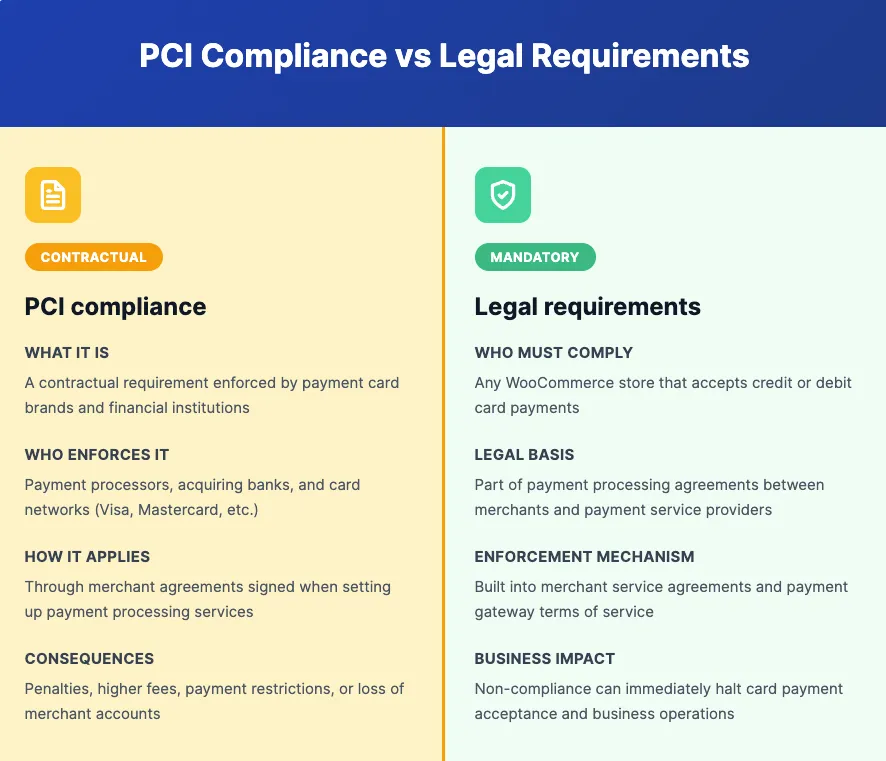
Any WooCommerce store that accepts credit or debit card payments falls within PCI DSS vernment law, but it is a contractual requirement enforced by payment processors and acquiring banks. Any WooCommerce store that accepts card payments must comply with PCI DSS as part of its payment agreement. Failure to comply can result in penalties, higher processing fees, payment restrictions, or loss of merchant accounts.
Risks of Not Being PCI Compliant with WooCommerce
Running a WooCommerce store without proper PCI compliance exposes your business to financial, operational, and security risks that can impact both revenue and customer trust.
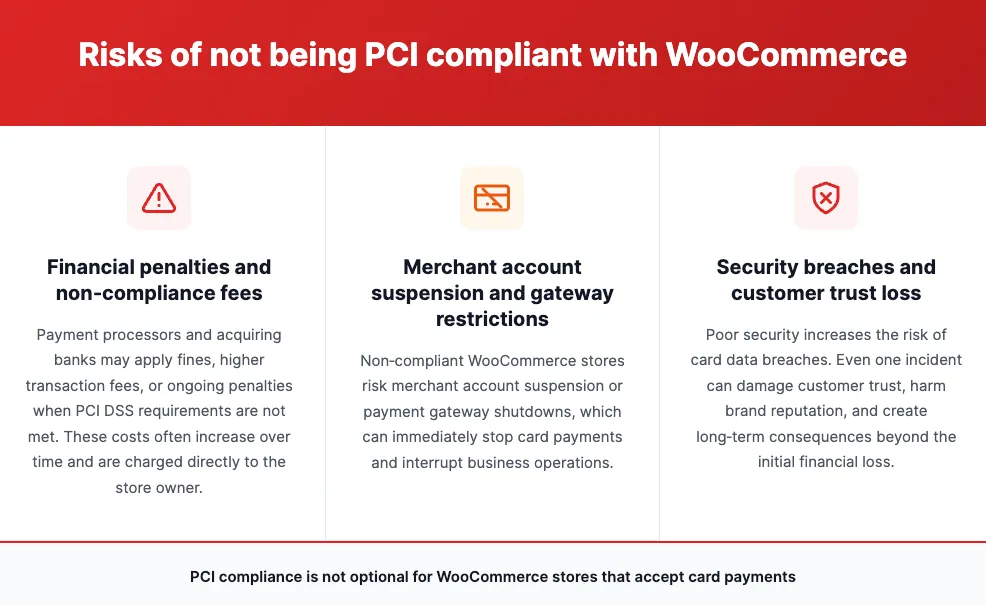
Financial penalties and non compliance fees
Payment processors and acquiring banks may impose fines or additional fees on merchants who fail to meet PCI DSS requirements. These costs can increase over time and are often passed directly to the store owner.
Merchant account suspension and gateway restrictions
Non compliant WooCommerce stores risk having their merchant accounts suspended or payment gateways disabled. This can stop your store from accepting card payments entirely, leading to lost sales and operational disruption.
Security breaches and customer trust loss
Weak security increases the risk of data breaches involving cardholder information. A single breach can damage customer trust, harm brand reputation, and create long term consequences that extend beyond immediate financial loss.
How PCI Compliance Works in WooCommerce
PCI compliance in WooCommerce is shared across multiple parties. The exact responsibilities depend on how payments are handled and where card data flows during checkout.
The role of the store owner in PCI compliance
The store owner is ultimately responsible for PCI compliance. This includes securing the WooCommerce site, keeping WordPress and plugins updated, choosing compliant payment methods, and completing the required PCI validation such as the correct Self Assessment Questionnaire.
The role of payment gateways in PCI compliance
Payment gateways handle card transactions and are required to maintain their own PCI DSS compliance. When a WooCommerce store uses a compliant gateway, especially one that processes payments off site, the gateway reduces the amount of card data that touches the store. This lowers PCI scope but does not eliminate the store owner’s responsibility.
The role of hosting providers in PCI compliance
Hosting providers are responsible for server level security such as firewalls, malware protection, and system hardening. A secure hosting environment supports PCI compliance, but hosting alone cannot make a WooCommerce store compliant without proper configuration and ongoing maintenance.
What is considered in scope for PCI DSS in WooCommerce
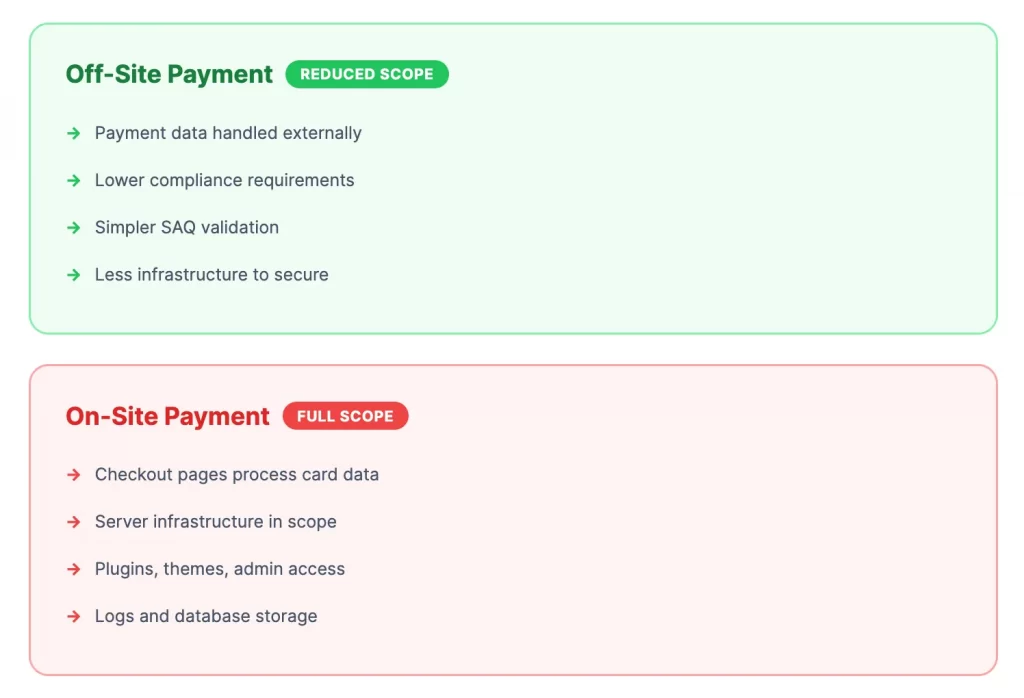
Anything that stores, processes, or transmits cardholder data is considered in scope. This can include checkout pages, server infrastructure, plugins, themes, admin access, and logs. Using off site payment gateways reduces scope, while on site payment processing increases compliance requirements.
PCI DSS Requirements and Practical Setup for WooCommerce
PCI DSS requirements define what a WooCommerce store must protect when handling card payments. The practical setup steps below translate those requirements into clear actions that store owners can follow. Together, they form a practical WooCommerce PCI compliance checklist.
PCI DSS requirements for WooCommerce stores
PCI DSS focuses on reducing risk by securing payment data and limiting access to cardholder information. For most WooCommerce stores, the key requirements include:
- Encrypting data transmitted during checkout and login
- Preventing unauthorized access to systems that handle payments
- Keeping the hosting environment and software secure and up to date
- Ensuring cardholder data is not stored unnecessarily
- Validating compliance through the correct PCI Self Assessment Questionnaire
These requirements apply even when a third party payment gateway is used.
WooCommerce PCI compliance guide: 5 steps to meet PCI DSS requirements
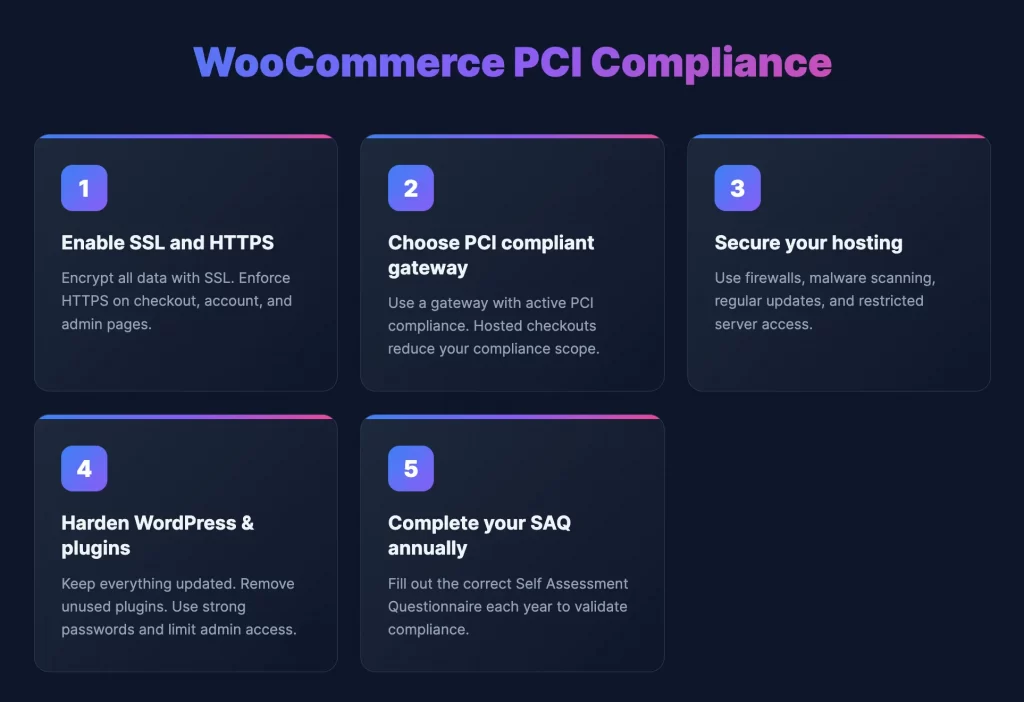
Step 1: Enable SSL and HTTPS across your store
Your WooCommerce store must use SSL to encrypt data transmitted between the browser and the server. HTTPS should be enforced on all pages, especially checkout, account, and admin areas. This protects card data and login credentials from interception.
Step 2: Choose a PCI compliant payment gateway
Select a payment gateway that maintains active PCI DSS compliance. Off site or hosted checkout solutions reduce the amount of sensitive card data handled by your store, which simplifies compliance requirements and lowers overall risk.
Step 3: Secure your WooCommerce hosting environment
Your hosting environment should include firewalls, malware scanning, regular security updates, and restricted server access. Secure hosting protects the infrastructure where your WooCommerce store operates and supports PCI compliance.
Step 4: Harden WordPress, WooCommerce, themes, and plugins
Keep WordPress core, WooCommerce, themes, and plugins updated at all times. Remove unused plugins, limit admin access, use strong passwords, and follow WordPress security best practices to reduce vulnerabilities.
Step 5: Complete the correct PCI Self Assessment Questionnaire (SAQ)
Most WooCommerce merchants must complete a PCI Self Assessment Questionnaire each year. The correct SAQ depends on how payments are processed and how much card data is in scope. Completing the appropriate SAQ is required to validate ongoing PCI compliance.
Payment Gateways and PCI Compliance in WooCommerce
Payment gateways play a major role in determining how much PCI responsibility a WooCommerce store carries. The way payments are processed directly affects PCI scope and compliance requirements.
WooPayments and PCI compliance
WooPayments is a PCI compliant payment solution that is built for WooCommerce and backed by Stripe. It operates under PCI DSS Level 1 standards, which helps reduce the compliance burden for store owners. Even so, the WooCommerce store must still be secured properly and complete the required PCI validation steps.
Stripe and PayPal PCI responsibilities
Stripe and PayPal are both PCI DSS Level 1 compliant payment processors. When used with WooCommerce, these gateways handle sensitive card data within their own secure systems. This significantly reduces PCI scope for the store, but the merchant remains responsible for site security and compliance confirmation.
On site vs off site payment gateways and PCI scope
On-site payment gateways process card details directly on your WooCommerce site, which increases PCI scope and security requirements. Off-site or hosted gateways redirect customers to a secure payment page or use embedded checkout methods, which reduces the amount of card data handled by your store and simplifies compliance.
WooCommerce PCI Compliance: FAQs
Is WooCommerce PCI compliant by default?
No. WooCommerce is not PCI compliant by default. PCI compliance depends on how the store is configured, how payments are processed, and how cardholder data is handled.
Why WooCommerce itself is not PCI compliant by default?
WooCommerce is a software platform, not a payment processor. PCI compliance applies to the entire payment environment, including hosting, security controls, and payment flow, not just the WooCommerce plugin.
Does using Stripe or PayPal make my store compliant?
Using Stripe or PayPal reduces PCI scope because they handle card data securely, but the store owner is still responsible for securing the site and completing required PCI validation.
Who is responsible for PCI compliance in a WooCommerce store?
The store owner is responsible for PCI compliance. Payment gateways and hosting providers support compliance, but they do not replace the merchant’s obligations.
Conclusion
PCI compliance in WooCommerce is not a one time setup or a feature that comes automatically with the platform. It is an ongoing responsibility that sits with the store owner and depends on how payments are handled, how secure the site is, and how consistently PCI requirements are maintained.
When WooCommerce is configured with secure hosting, trusted payment gateways, and proper security practices, it can operate within PCI DSS guidelines and support safe card transactions. Understanding these responsibilities early helps prevent payment interruptions, security issues, and compliance problems as your store grows in 2026.
And now, let’s build what’s next!
At LitOS, we help brands grow smarter on WooCommerce with better technology, practical strategy, and hands-on support that delivers real results. From migration to long-term growth, we make the process seamless and scalable.
Contact Us
