
11 Best Payment Gateways for WooCommerce Reviewed (2026 Update)
Not all WooCommerce payment gateways are built for the same purpose. Some focus on global card payments, others on local methods, fast checkout, or in-store sales.
This article compares the best payment gateways for WooCommerce in 2026, based on how they perform in real store setups. You’ll see which gateways fit different regions, checkout needs, and store types, so you can choose what makes sense for your business.
WooCommerce Payment Gateways Explained
A WooCommerce payment gateway is the tool that lets customers pay on your store. It connects your WooCommerce checkout to payment providers, so buyers can use credit cards, digital wallets, or local payment methods to complete an order.
In simple terms, if your store can accept payments online, it is because a payment gateway is working behind the scenes. Most WooCommerce payment gateways fall into three common types:
1. On-site (direct) payment gateways
Customers complete the payment directly on your checkout page without leaving your website. This usually creates a smoother and faster checkout experience. Examples include gateways like Stripe or WooPayments.
2. Off-site payment gateways
Customers are redirected to another website to complete the payment, then sent back to your store after paying. This can feel less smooth, but some customers trust these platforms more. PayPal Standard and Alipay are common examples.
3. Hybrid payment gateways
Payments start on your checkout page, but customers may be redirected for extra verification, such as login or security approval. Amazon Pay and some PayPal options work this way.
How to Choose Payment Gateways for WooCommerce
To create this list, we picked and reviewed payment gateways based on how well they work in real WooCommerce stores and how they affect the checkout experience. The criteria below explain how we evaluated and selected the payment gateways featured in this guide.
1. WooCommerce integration and ease of setup
We prioritized payment gateways that integrate smoothly with WooCommerce and are easy to set up without complex technical work. Gateways with poor integration often cause checkout errors, plugin conflicts, or payment failures, which directly impact store performance.
2. Transaction fees and hidden costs
We compared not only standard transaction fees but also less obvious costs such as monthly fees, refund fees, and currency conversion charges. Gateways with clear and transparent pricing were ranked higher than those with complicated fee structures.
3. Supported payment methods
We focused on gateways that support widely used payment methods, including credit cards, digital wallets, and local options where relevant. Payment gateways that align well with customer payment habits provide a smoother checkout experience and higher conversion potential.
4. Security and compliance
Security was a key factor in our selection. We prioritized gateways that meet PCI compliance standards and offer basic fraud protection and secure payment processing. Even when customers do not see these details, they strongly influence trust at your WooCommerce checkout.
5. Regional availability and customer preferences
We also considered where each payment gateway works best. Some gateways are ideal for global stores, while others perform better in specific regions. Gateways that match local payment preferences were evaluated more favorably for those markets.
11 Best Payment Gateways for WooCommerce Reviewed
Below is a quick comparison of the best payment gateways for WooCommerce, based on fees, supported payment methods, regions, and the type of store each gateway works best for.
| Gateway | Fees | Payment methods | Regions | Store type |
| Stripe | 2.9% + $0.30 | Cards, wallets | Global | Online, international |
| PayPal | 2.99% + $0.30–$0.49 | PayPal, cards | Global | Trust-focused, global |
| WooPayments | 2.9% + $0.30 | Cards, wallets | Selected countries | WooCommerce-first stores |
| Square | 2.9% + $0.30 (online) | Cards, POS | US, CA, AU | Online + physical stores |
| Authorize.Net | 2.9% + $0.30 + $25/mo (standard) | Cards, eCheck | US, selected regions | Subscriptions, recurring billing |
| Amazon Pay | 2.9% + $0.30 | Amazon Pay, cards | US, EU, JP | Fast checkout, Amazon users |
| Mollie | From 1.8% + €0.25 for EU cards | Cards, local EU methods | Europe | EU-focused stores |
| Razorpay | ~2%–3% (per transaction) | UPI, cards, net banking | India | Local Indian stores |
| PayFast | ~0.8% + R8.70 payout fee | Cards, EFT | South Africa | South African stores |
| Mercado Pago | 2.9% + fixed | Cards, bank transfer, cash | Latin America | LATAM-focused stores |
| Coinbase Commerce | 1% | Cryptocurrencies | Global | Crypto-friendly audiences |
Transaction fees typically range from 2% to 3% per transaction, depending on the payment method such as UPI, cards, or net banking. There are no setup or monthly fees.
1. Stripe – Best overall for most WooCommerce stores
Stripe is one of the best WooCommerce payment gateways, especially for online stores selling to both local and international customers.

It offers a smooth checkout experience, strong support for modern payment methods, and flexible setup options that work well as a store grows.
| Criteria | Details |
| WooCommerce integration | Plugin-based integration via official Stripe for WooCommerce plugin; setup is straightforward but may require basic configuration for advanced features |
| Transaction fees | Percentage + fixed fee per transaction; no monthly fee, but extra charges may apply for currency conversion and chargebacks |
| Payment methods | Credit and debit cards, Apple Pay, Google Pay, and local payment methods in supported regions |
| Security & compliance | PCI compliant, built-in fraud detection tools, supports 3D Secure and Strong Customer Authentication |
| Regional availability | Available in many countries worldwide, suitable for global and cross-border sales |
Writer’s take / experience-based note:
From our experience, Stripe is a reliable choice for stores that want a modern checkout and plan to scale internationally. It works best when set up carefully from the start, especially for currencies, taxes, and subscriptions, but once configured, it rarely becomes a bottleneck.
2. PayPal – Best for customer trust and global reach
PayPal is one of the most recognized payment methods worldwide, making it a strong option for WooCommerce stores that sell to international customers. Many shoppers already have PayPal accounts, which helps reduce hesitation and builds trust at checkout.
| Criteria | Details |
| WooCommerce integration | Plugin-based integration via official PayPal Payments for WooCommerce plugin; setup is simple and beginner-friendly |
| Transaction fees | No setup fee and no monthly fee; transaction fees apply per payment (for example, 2.99% + fixed fee for standard online card payments in many regions; fees vary by country) |
| Payment methods | PayPal balance, credit and debit cards, Pay Later options, and country-specific local methods |
| Security & compliance | PCI compliant, built-in fraud protection, buyer and seller protection, supports secure authentication |
| Regional availability | Available in 200+ markets and supports 100+ currencies, suitable for global sales |
Writer’s take / experience-based note:
From our experience, PayPal works especially well for stores that want to build trust quickly, especially with international or first-time buyers. While transaction fees are higher than some alternatives, the familiarity of PayPal often helps recover sales that might otherwise be abandoned.
3. WooPayments – Best native WooCommerce payment gateway
WooPayments is the official payment solution built by WooCommerce for WooCommerce stores. Because it is designed specifically for the WooCommerce ecosystem, it offers a very smooth and unified experience, especially for store owners who want everything managed inside the WordPress dashboard.
| Criteria | Details |
| WooCommerce integration | Native integration built by WooCommerce; no third-party connector needed and setup is fully guided inside WooCommerce |
| Transaction fees | No setup fee and no monthly fee; transaction fees apply per payment and vary by country (for example, 2.9% + fixed fee for card payments in many regions) |
| Payment methods | Credit and debit cards, Apple Pay, Google Pay, and local payment methods depending on country |
| Security & compliance | PCI compliant, built-in fraud protection, supports 3D Secure and Strong Customer Authentication |
| Regional availability | Available in multiple countries, mainly focused on the US, Canada, UK, EU, Australia, and selected other markets |
Writer’s take / experience-based note:
From our experience, WooPayments is a strong choice for WooCommerce-first stores that want a simple, native setup without managing multiple dashboards. It is especially convenient for beginners, though availability and features may be more limited compared to global gateways like Stripe.
4. Square – Best for Online + In-Person (POS) Sales
Square is a strong payment gateway for WooCommerce stores that sell both online and in physical locations. It combines online payments with built-in POS tools, allowing store owners to manage in-store and online sales from one system.
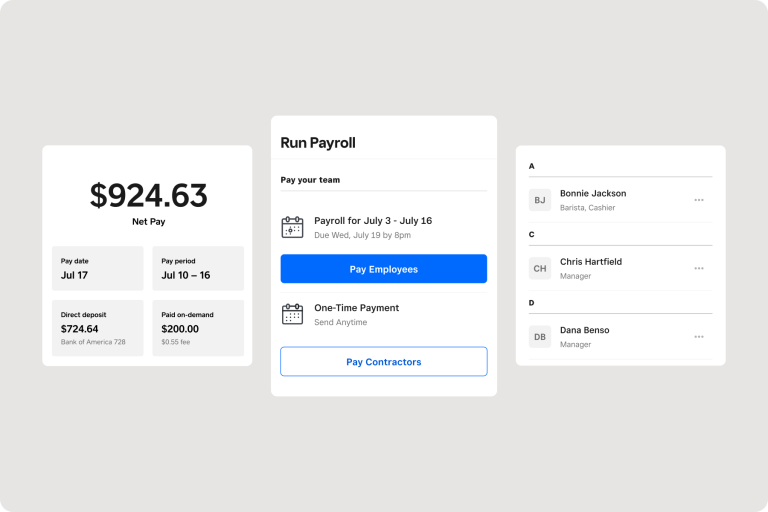
Unlike gateways focused only on online checkout, Square is designed for businesses that also take payments face to face, such as retail shops, cafés, or pop-up stores.
| Criteria | Details |
| WooCommerce integration | Plugin-based integration via official Square for WooCommerce plugin; setup is simple for basic use and well documented |
| Transaction fees | No setup fee and no monthly fee; transaction fees apply per payment and differ for online and in-person transactions |
| Payment methods | Credit and debit cards, digital wallets, and in-person card payments through Square POS |
| Security & compliance | PCI compliant, built-in fraud protection, secure card processing for both online and in-store payments |
| Regional availability | Available mainly in the US, Canada, UK, Australia, and selected regions |
Writer’s take / experience-based note:
From our experience, Square works best for businesses that operate both online and offline and want payments and inventory connected in one place. It may not be the best fit for fully international stores, but for local or regional sellers with physical locations, Square offers a very practical setup.
5. Authorize.Net – Best for recurring payments and subscriptions
Authorize.Net is a long-established payment gateway that is often chosen by WooCommerce stores with recurring payments or subscription-based billing. It focuses on reliability and stable payment processing rather than modern checkout features.
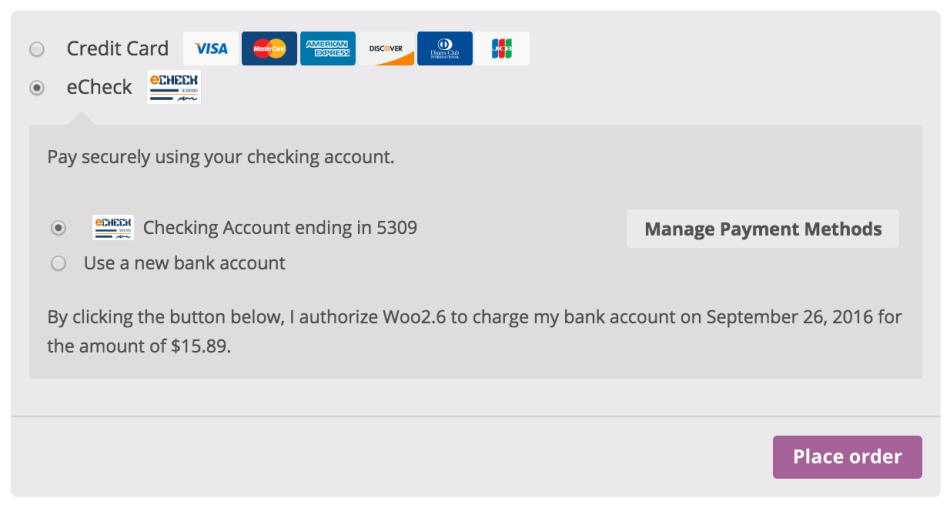
Many merchants use Authorize.Net when they need predictable billing and long-term customer payments, especially in markets where it is already well known.
| Criteria | Details |
| WooCommerce integration | Plugin-based integration via official and third-party WooCommerce plugins; setup is more involved compared to Stripe or WooPayments |
| Transaction fees | Monthly fee plus per-transaction fees; pricing is higher than many modern gateways |
| Payment methods | Credit and debit cards, eCheck (ACH) in supported regions |
| Security & compliance | PCI compliant, advanced fraud detection tools, strong transaction monitoring |
| Regional availability | Mainly focused on the US, Canada, and selected international markets |
Writer’s take / experience-based note:
From our experience, Authorize.Net is a solid option for stores that rely heavily on subscriptions or recurring billing and value stability over simplicity. It is not the easiest gateway to set up, but once configured, it handles repeat payments reliably for long-term customers.
6. Amazon Pay – Best for fast checkout
Amazon Pay allows customers to pay using the information already saved in their Amazon accounts. This removes many checkout steps and helps customers complete payments faster, especially if they already shop on Amazon regularly.
Instead of typing card details and addresses again, buyers can log in and confirm payment in just a few clicks, which can reduce friction during checkout.
| Criteria | Details |
| WooCommerce integration | Plugin-based integration via official Amazon Pay for WooCommerce plugin; setup is guided but requires an Amazon Pay merchant account |
| Transaction fees | No setup fee and no monthly fee; transaction fees apply per payment and vary by region |
| Payment methods | Amazon Pay balance, credit and debit cards stored in Amazon accounts |
| Security & compliance | PCI compliant, secure authentication through Amazon, strong fraud protection |
| Regional availability | Available in selected markets, mainly the US, UK, EU, and Japan |
Writer’s take / experience-based note:
Amazon Pay works best for stores whose customers already trust Amazon and shop there frequently. It can noticeably reduce checkout friction, but its real value depends on how popular Amazon Pay is in your target market.
7. Mollie – Best for Europe and local payment methods
Mollie is a payment gateway built with European merchants in mind. It focuses on supporting a wide range of local payment methods that customers in Europe already know and trust, which helps reduce friction during checkout.
Instead of relying only on credit cards, Mollie allows WooCommerce stores to offer region-specific options that often perform better in local markets.
| Criteria | Details |
| WooCommerce integration | Plugin-based integration via the official Mollie for WooCommerce plugin; setup is clear and merchant-friendly |
| Transaction fees | No setup fee and no monthly fee; transaction fees apply per payment and vary by payment method |
| Payment methods | Credit and debit cards, Apple Pay, PayPal, and many European local methods such as iDEAL, Bancontact, SOFORT, and EPS |
| Security & compliance | PCI compliant, secure payment processing, supports modern authentication standards |
| Regional availability | Strong focus on Europe, with support for many EU countries and local currencies |
Writer’s take / experience-based note:
Mollie is a strong fit for WooCommerce stores selling mainly in Europe, where local payment methods often convert better than cards. It may feel unnecessary for stores targeting only global card payments, but for EU-focused businesses, Mollie can significantly improve checkout acceptance.
8. Razorpay – Best payment gateway for WooCommerce in India
Razorpay is a leading payment gateway built specifically for the Indian market. It supports local payment habits such as UPI, net banking, and wallets, which makes it a practical choice for WooCommerce stores selling primarily to customers in India.
For Indian shoppers, Razorpay feels familiar and convenient, helping reduce friction at checkout compared to global card-focused gateways.
| Criteria | Details |
| WooCommerce integration | Plugin-based integration via the official Razorpay for WooCommerce plugin; setup is guided but requires business verification |
| Transaction fees | No setup fee and no monthly fee; transaction fees apply per payment and depend on the payment method used |
| Payment methods | UPI, credit and debit cards, net banking, wallets, EMI options |
| Security & compliance | PCI compliant, secure payment processing, strong fraud and risk management tools |
| Regional availability | Focused on India, designed for domestic transactions |
Writer’s take / experience-based note:
Razorpay is the most practical option for WooCommerce stores targeting Indian customers, especially where UPI and net banking are expected. It is less suitable for international sales, but for India-focused businesses, it aligns very well with local payment behavior.
9. PayFast – Best payment gateway for WooCommerce in South Africa
PayFast is a payment gateway designed mainly for businesses in South Africa. It supports local payment methods and follows local regulations, making it a practical option for WooCommerce stores selling to South African customers.
Instead of using global gateways that may feel unfamiliar or expensive, PayFast allows merchants to offer payment options that local buyers already trust.
| Criteria | Details |
| WooCommerce integration | Plugin-based integration via the official PayFast for WooCommerce plugin; setup is straightforward and well documented |
| Transaction fees | No setup fee and no monthly fee; transaction fees apply per payment and are based on local PayFast pricing |
| Payment methods | Credit and debit cards, Instant EFT, and other locally supported methods |
| Security & compliance | PCI compliant, secure redirect-based payment flow, supports local security standards |
| Regional availability | Focused on South Africa, built for domestic transactions |
Writer’s take / experience-based note:
PayFast makes the most sense for WooCommerce stores targeting South African customers, where local payment methods and trust matter more than global brand coverage. It is not designed for international expansion, but for domestic sales, it offers a reliable and familiar checkout experience.
10. Mercado Pago – Best for WooCommerce stores in Latin America
Mercado Pago is a leading payment gateway in Latin America and is widely trusted by customers across the region. It supports not only cards but also cash payments and bank transfers, which are still very common in many Latin American markets.
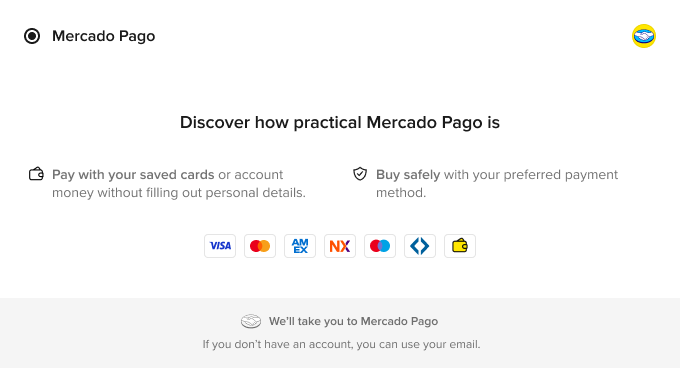
For WooCommerce stores selling in countries like Brazil, Argentina, Mexico, and Chile, Mercado Pago helps match local payment habits and reduce checkout drop-off.
| Criteria | Details |
| WooCommerce integration | Plugin-based integration via the official Mercado Pago for WooCommerce plugin; setup is guided and designed for local merchants |
| Transaction fees | No setup fee and no monthly fee; transaction fees apply per payment and vary by country and payment method |
| Payment methods | Credit and debit cards, bank transfers, cash-based options, and local installment payments |
| Security & compliance | PCI compliant, secure checkout options, built-in fraud prevention tools |
| Regional availability | Strong focus on Latin America, including Brazil, Argentina, Mexico, Chile, Colombia, and nearby markets |
Writer’s take / experience-based note:
Mercado Pago is a strong choice for WooCommerce stores targeting Latin American customers, where local payment methods matter more than global card brands. It is less relevant for stores selling outside the region, but within Latin America, it can significantly improve payment acceptance.
11. Coinbase Commerce – Best for crypto payments
Coinbase Commerce allows WooCommerce stores to accept cryptocurrency payments directly from customers. It is designed for merchants who want to offer crypto as an alternative payment option, rather than a replacement for traditional card or wallet payments.
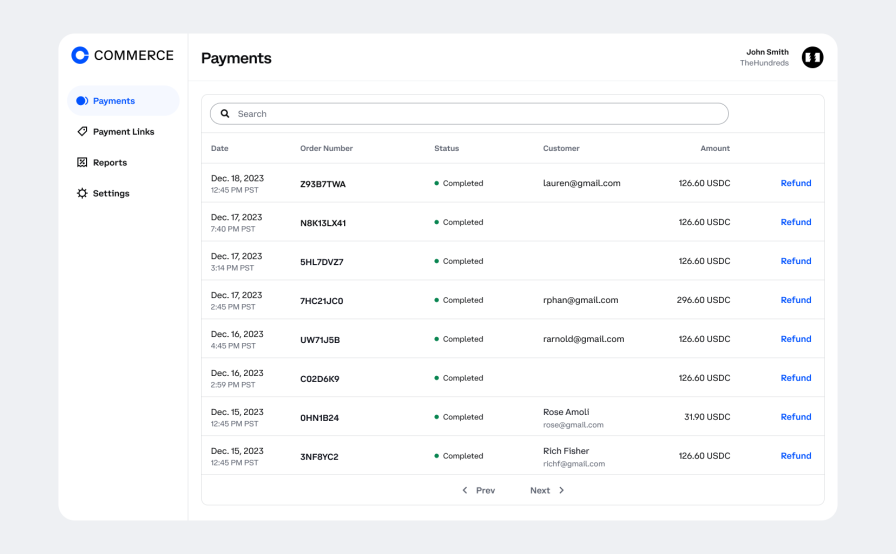
This gateway is most relevant for niche audiences that already use cryptocurrency and prefer paying with digital assets.
| Criteria | Details |
| WooCommerce integration | Plugin-based integration via the official Coinbase Commerce for WooCommerce plugin; setup is straightforward with a Coinbase Commerce account |
| Transaction fees | 1% per transaction; no setup fee and no monthly fee |
| Payment methods | Cryptocurrencies such as Bitcoin, Ethereum, USDC, and other supported digital assets |
| Security & compliance | Secure payment processing with blockchain-based transactions; payments are irreversible once confirmed |
| Regional availability | Available globally, depending on local cryptocurrency regulations |
Writer’s take / experience-based note:
Coinbase Commerce works best as an optional payment method for stores targeting crypto-friendly customers. It should not be the only payment gateway on a WooCommerce store, but when offered alongside traditional methods, it can attract a specific audience without adding much operational complexity.
How to Set Up Payment Gateways in WooCommerce
Setting up payment gateways in WooCommerce is usually straightforward, but following the correct order helps avoid common checkout issues later. Below is a simple step-by-step process that works for both built-in and third-party payment gateways.
Step 1: Access WooCommerce payment settings
Go to your WordPress dashboard → WooCommerce → Settings → Payments.
Here, you will see a list of all available payment gateways, including built-in options and any plugins you have already installed.
This is the main place where you enable, disable, and manage payment methods for your store.
Step 2: Enable built-in WooCommerce payment gateways
WooCommerce comes with some built-in payment options, such as WooPayments or basic PayPal integrations.
To use them, simply toggle the gateway on and follow the on-screen setup instructions.
You will usually need to connect your account and provide basic business information before accepting live payments.
Step 3: Install a third-party payment gateway plugin
If you want to use a gateway like Stripe, Square, Mollie, or Razorpay, you need to install the official plugin.
Go to Plugins → Add Plugins, search for the payment gateway, then install and activate the plugin.
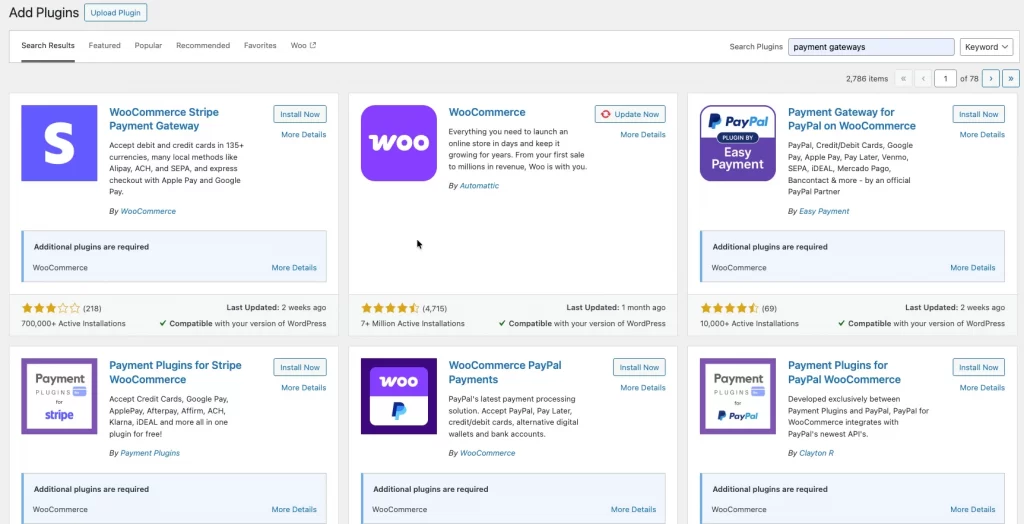
Once activated, the gateway will appear in the Payments section of WooCommerce.
Step 4: Configure payment gateway settings
After enabling a gateway, open its settings to configure details such as API keys, supported payment methods, and currencies.
This is also where you can control checkout behavior, such as enabling wallets, setting payment descriptions, or adjusting capture settings.
Step 5: Enable security and compliance options
Most payment gateways include built-in security features that should be enabled by default.
Make sure your store uses HTTPS (SSL) and turn on options like 3D Secure or fraud protection if available.
These settings help protect both your business and your customers during checkout.
Step 6: Test payments before going live
Before accepting real payments, always use the gateway’s test or sandbox mode.
Place test orders to confirm that payments go through correctly, orders are created, and confirmation emails are sent.
Once everything works as expected, disable test mode and start accepting live payments.
Tips to Improve Checkout Experience with WooCommerce Payment Gateways
From our experience working with WooCommerce stores, choosing a payment gateway is only part of the journey. How payment gateways are configured and used in real situations often makes the biggest difference to checkout performance and customer experience.
Based on what we see most often in live stores, here are practical ways to improve checkout using WooCommerce payment gateways.
Tip 1: Offer the payment methods your customers actually use
In many stores we review, checkout issues are not caused by technical errors, but by missing or unfamiliar payment methods. Customers are far more likely to complete a purchase when they see options they already trust.
Our experience shows that fewer, well-chosen payment methods usually perform better than offering many options that customers rarely use.
Tip 2: Reduce friction at checkout
We often see higher abandonment rates in stores where checkout includes too many steps or unnecessary redirects. On-site payment gateways usually create a smoother flow because customers stay on the same page.
From a practical standpoint, keeping the checkout simple and mobile-friendly has a direct impact on completed orders.
Tip 3: Use multiple gateways strategically
In common WooCommerce store setups, relying on only one payment gateway can be risky. Gateways can fail, be temporarily unavailable, or decline certain transactions.
Many successful WooCommerce stores use one primary gateway and one backup option. This approach improves reliability and gives customers a second chance to complete payment.
Tip 4: Test checkout regularly
One common issue we see is stores assuming checkout works because it worked in the past. Updates to WooCommerce, themes, or plugins can silently break payment flows.
Regular testing helps catch issues early and ensures payments, refunds, and confirmation emails continue to work as expected.
Read more: How to Customize WooCommerce Checkout Page.
Best Payment Gateways for WooCommerce: FAQs
What are the top 5 best payment gateways for WooCommerce?
The most commonly used payment gateways for WooCommerce are Stripe, PayPal, WooPayments, Square, and Authorize.Net. These gateways are popular because they work reliably with WooCommerce, support common payment methods, and are trusted by customers in many regions.
Is Stripe for WooCommerce free?
Stripe does not charge a setup or monthly fee. You only pay transaction fees when a payment is completed. However, extra costs may apply for currency conversion, refunds, or chargebacks.
How do I set up payment gateways in WooCommerce?
You can set up payment gateways by going to WooCommerce → Settings → Payments in your WordPress dashboard. From there, you can enable built-in gateways or install a payment gateway plugin, connect your account, and configure basic settings.
How many payment gateways can WooCommerce support?
WooCommerce can support multiple payment gateways at the same time. There is no fixed limit, but it’s best to only enable the gateways your customers actually use to keep checkout simple and clear.
How do I integrate a custom payment gateway in WordPress with WooCommerce?
Integrating a custom payment gateway usually requires custom development. It involves creating a WooCommerce payment gateway plugin and connecting it to a payment provider’s API. This is typically done when a business needs a local or specialized payment solution that is not available as a standard plugin.
Final Verdict
For most online stores, gateways like Stripe, PayPal, or WooPayments are solid starting points because they are reliable, widely supported, and easy to scale. If you sell both online and in physical locations, Square is a strong option thanks to its built-in POS support.
Stores targeting specific regions often perform better with local gateways. Mollie works well for European markets, Razorpay fits Indian customers, PayFast is suitable for South Africa, and Mercado Pago is designed for Latin America. These gateways match local payment habits and can reduce checkout friction.
In practice, many successful WooCommerce stores use more than one payment gateway. A primary gateway handles most payments, while a secondary option helps cover regional preferences or acts as a backup when issues occur. The best payment gateway is the one that fits your store today and can still support your growt

